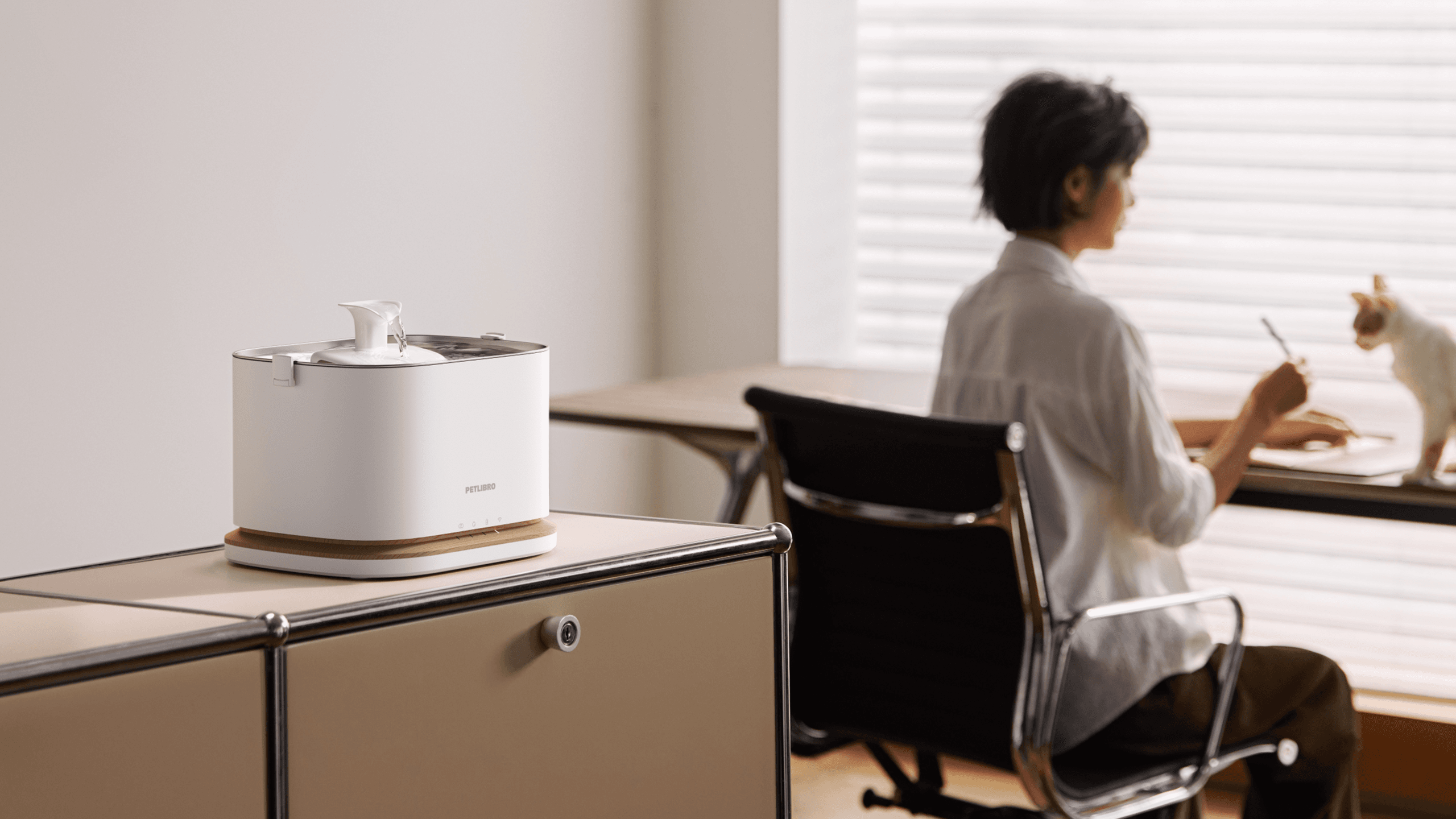
Tag: PETLIBRO

  • PETLIBRO Dockstream 2 Review 2026: Is Smart Hydration Tracking Worth It for One Cat?

    PETLIBRO Dockstream 2 Review 2026: Is Smart Hydration Tracking Worth It for One Cat?

    The PETLIBRO Dockstream 2 is not the smartest cat fountain PETLIBRO makes.

    That is exactly why it may be the better choice for many homes.

    It is not a camera fountain. It is not an RFID fountain. It does not identify multiple cats individually. Instead, it focuses on the part most owners actually need: cleaner moving water, app-based hydration tracking, refill reminders, filter alerts, and flexible placement.

    That makes Dockstream 2 most useful for a simple question:

    Do you want to understand your cat’s drinking routine without paying for camera monitoring or multi-cat RFID tracking?

    For a mostly one-cat home, the answer may be yes.

    For a multi-cat home where individual drinking records matter, the PETLIBRO Dockstream RFID is a better fit. For buyers who want camera-based monitoring and premium fresh-water separation, PETKIT EverSweet Ultra with Camera is the more advanced option.

    This review explains where Dockstream 2 fits, who should buy it, who should skip it, and how it compares with PETLIBRO Dockstream RFID and PETKIT EverSweet Ultra.

    Quick Verdict

    The PETLIBRO Dockstream 2 is best for cat owners who want a practical smart fountain with everyday hydration tracking, low-water alerts, filter reminders, and easier placement than a traditional cord-only fountain.

    It is strongest when:

    • you have one main cat to monitor;
    • you want app data without camera features;
    • you care about refill and filter reminders;
    • you want a cleaner, more modern fountain setup;
    • you do not need individual multi-cat identification.

    It is not the best choice if:

    • you need to know which cat drank;
    • your cats cannot share one water station comfortably;
    • you want camera-based monitoring;
    • you want fresh water separated from used drinking water;
    • you prefer a completely non-smart fountain with no app layer.

    Verdict: Best smart fountain for one-cat homes where hydration tracking and maintenance reminders are useful, but RFID or camera monitoring would be overkill.

    Check PETLIBRO Dockstream 2 on Amazon

    What PETLIBRO Dockstream 2 Actually Is
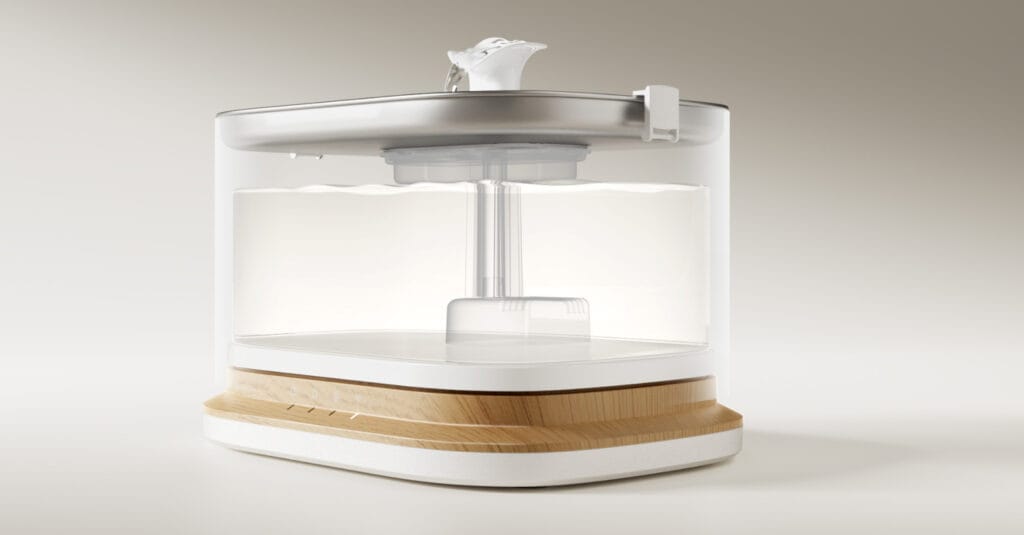
    PETLIBRO Dockstream 2 smart cat water fountain showing the transparent water tank, stainless steel tray and flowing water outlet
    Dockstream 2 uses a clean, compact fountain design with a visible water reservoir, stainless steel drinking tray and app-connected hydration tracking.

    Dockstream 2 is a smart cat water fountain designed around three practical ideas:

    1. Give your cat access to fresh moving water.
    2. Track drinking activity through the PETLIBRO app.
    3. Make maintenance easier with alerts and a more modern pump-free design.

    It has a 3L capacity, a stainless steel drinking tray, app-based hydration records, refill alerts, filter reminders, and a design that uses a magnetic rotor rather than a traditional submerged pump sitting inside the water tank.

    That last point matters more than it sounds.

    Traditional fountains often require owners to clean around a small pump, cable area, and hard-to-reach parts. Dockstream 2’s pump-free architecture is designed to make the tank easier to remove, refill, and clean.

    This does not make it maintenance-free.

    It just makes the maintenance routine more realistic.

    What Dockstream 2 Tracks
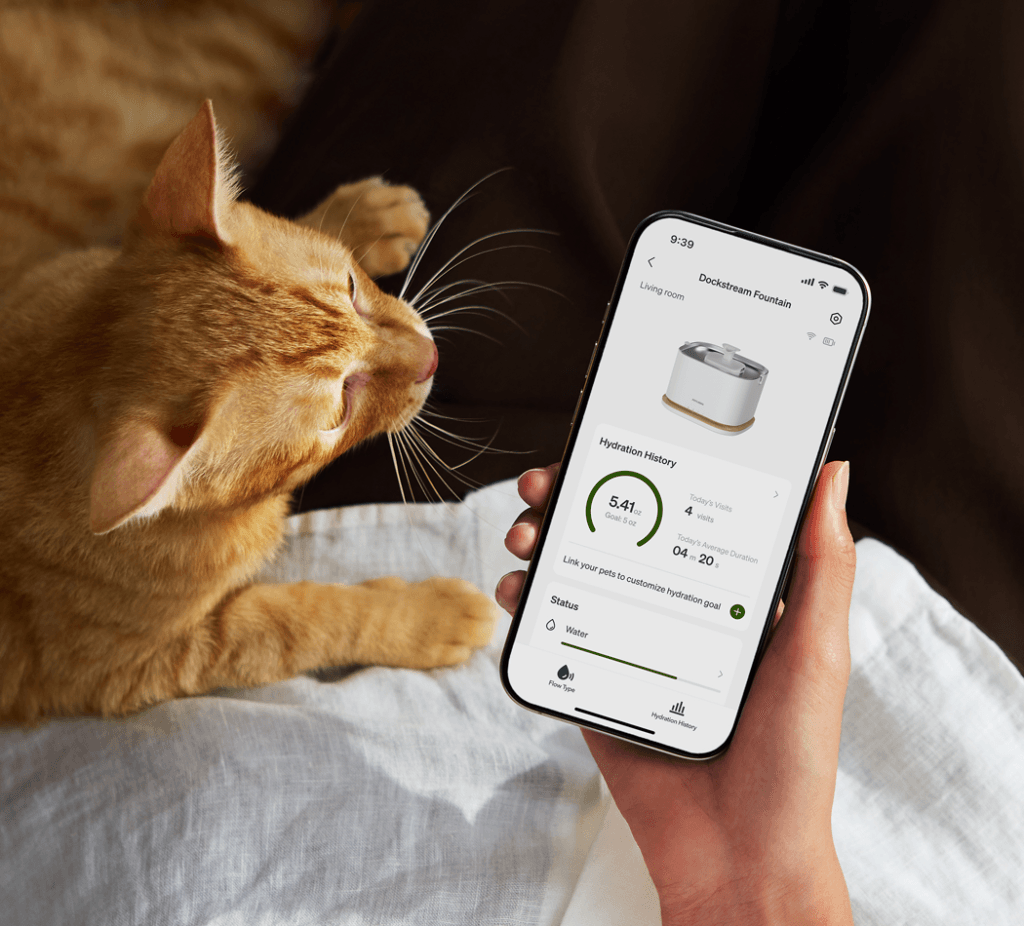
    Orange cat beside a phone showing PETLIBRO Dockstream Fountain hydration history and water status in the PETLIBRO app
    The PETLIBRO app turns Dockstream 2 drinking activity into simple hydration history, refill status, and routine reminders.

    Dockstream 2 is useful because it turns drinking into a visible routine.

    Depending on the app view and setup, it can help you monitor:

    • drinking sessions;
    • approximate water intake;
    • drinking duration;
    • hydration trends;
    • water level alerts;
    • filter replacement reminders;
    • cleaning reminders.

    That is enough for a one-cat household where the goal is not medical diagnosis, but routine awareness.

    The important limit is this:

    Dockstream 2 tracks fountain activity. It does not diagnose hydration problems, urinary disease, kidney disease, or any medical condition.

    If your cat suddenly drinks much more or much less than usual, stops eating, seems weak, urinates differently, hides, or shows other concerning changes, contact a veterinarian instead of relying on an app interpretation.

    Who Should Buy PETLIBRO Dockstream 2?

    1. One-cat households that want hydration tracking

    This is the cleanest use case.

    In a one-cat home, app hydration data is much easier to interpret because there is only one likely drinker. You do not need RFID identity, collar tags, or camera recognition to separate one cat from another.

    That makes Dockstream 2 a strong middle option:

    • smarter than a basic fountain;
    • cheaper and simpler than premium camera systems;
    • more useful than app features you will never check.

    2. Owners who forget maintenance tasks

    A fountain only works well if it is cleaned, refilled, and maintained.

    Dockstream 2’s alerts matter because they address the boring part of fountain ownership: remembering to refill water, replace filters, and keep the system clean.

    That is more valuable than extra modes or decorative LEDs.

    3. Cats that may benefit from better water placement

    Cordless or flexible placement can matter if your current water bowl is stuck near an outlet, beside a busy kitchen path, or too close to food or litter areas.

    A fountain is more likely to be used when it sits where your cat actually feels comfortable drinking.

    That can mean:

    • a quiet room;
    • a bedroom corner;
    • a home office;
    • a second water station;
    • a spot away from the litter box and food bowl.

    4. Owners who want smart data without a camera

    Not every smart pet product needs a camera.

    A camera fountain can be useful, but it also adds cost, privacy questions, and another kind of data to review. Dockstream 2 is cleaner: it tracks hydration behavior without turning the water station into a video monitoring point.

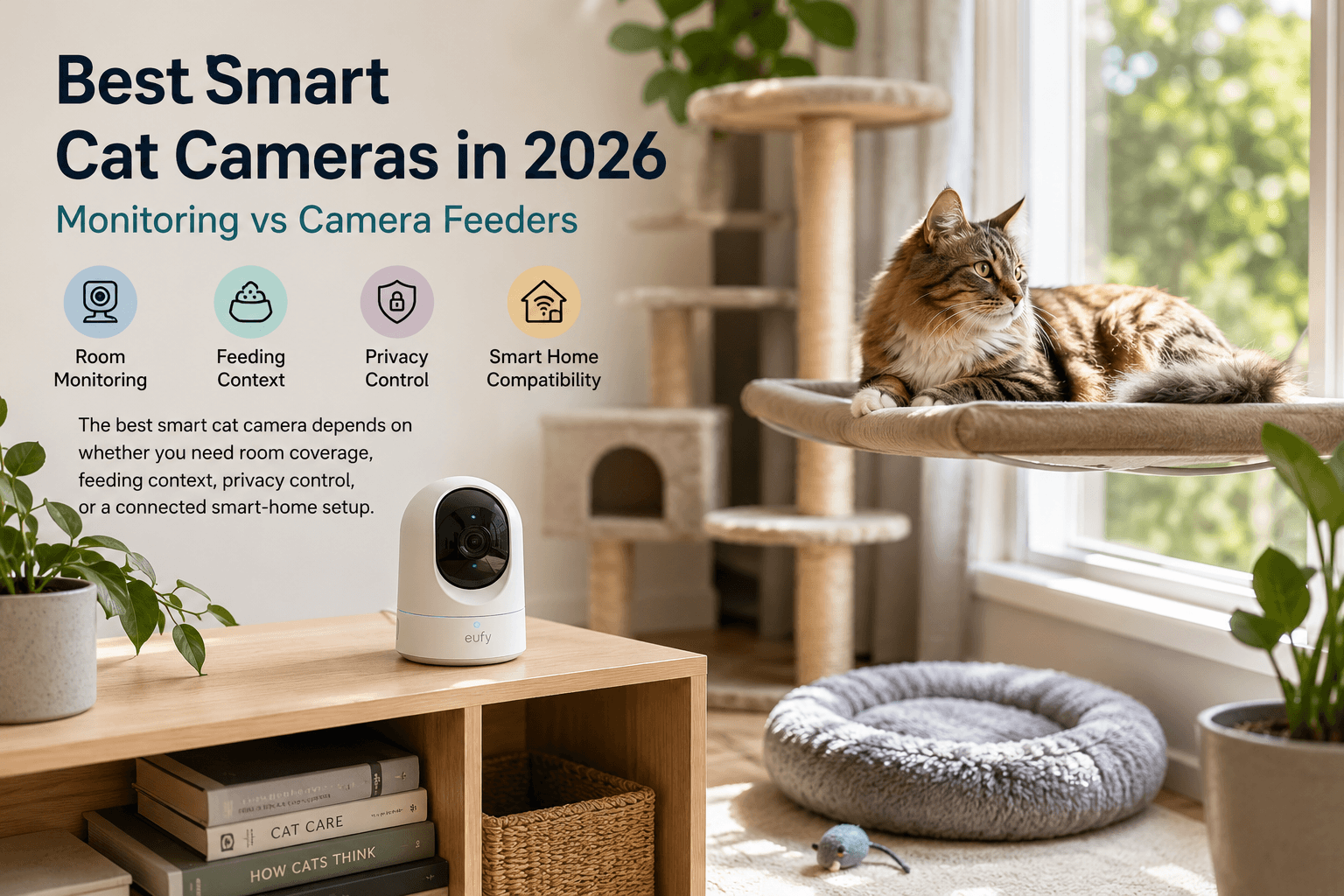
    For room-level visual monitoring and camera feeder trade-offs, see our Best Smart Cat Cameras guide.

    Who Should Skip Dockstream 2?

    Skip it if you need individual multi-cat hydration data

    This is the biggest limitation.

    Dockstream 2 is not the right product if your real question is:

    Which cat drank?

    In a multi-cat household, total fountain data can be misleading. One cat may drink more while another drinks less, and the total activity can still look normal.

    If individual hydration tracking matters, choose PETLIBRO Dockstream RFID instead.

    Skip it if you want camera-based monitoring

    Dockstream 2 does not show you your cat drinking.

    If you want visual confirmation, pet recognition, or camera-based drinking context, PETKIT EverSweet Ultra with Camera is the more appropriate product.

    Skip it if you want a completely simple fountain

    Some owners do not want another app, another battery, another alert system, or another connected device.

    That is valid.

    If you only want flowing water and easy cleaning, a non-smart fountain may be enough.

    Skip it if your cat refuses fountains

    Some cats prefer still water.

    Others need time to accept a new sound, surface, or flow pattern. A smart fountain is not automatically better if your cat simply will not use it.

    Dockstream 2 vs Dockstream RFID

    PETLIBRO Dockstream 2 and Dockstream RFID look related, but they solve different problems.

    FeatureDockstream 2Dockstream RFID
    Best forOne-cat hydration trackingMulti-cat individual tracking
    IdentificationNo individual cat IDRFID collar tags
    Implanted microchip supportNoNo
    Main valueApp hydration records and maintenance alertsKnowing which tagged cat drank
    Best householdSimple one-cat or low-conflict setupMulti-cat home where identity matters
    Main trade-offCannot separate catsRequires collar tags

    The RFID version is better when the household needs individual data.

    Dockstream 2 is better when that level of tracking would be unnecessary.

    This distinction matters because many owners overbuy smart features. If you have one cat and just want hydration history, Dockstream 2 is the cleaner choice.

    For a broader fountain comparison, see our Best Smart Cat Water Fountains guide.

    Dockstream 2 vs PETKIT EverSweet Ultra

    PETKIT EverSweet Ultra with Camera is a more advanced and more premium product.

    It is designed around a different philosophy: camera-supported monitoring, AI pet recognition, and a OneWay water system that separates clean water from used drinking water.

    Dockstream 2 is simpler.

    FeaturePETLIBRO Dockstream 2PETKIT EverSweet Ultra
    Best forEveryday smart hydration trackingPremium camera-supported hydration system
    CameraNoYes
    Individual recognitionNoCamera-supported recognition
    Water systemSmart recirculating fountainSeparate clean and used water system
    Best buyerOne-cat owner who wants app trackingOwner who wants premium monitoring and fresh-water separation
    Main trade-offLess advanced monitoringHigher cost and larger footprint

    Choose Dockstream 2 if you want practical app tracking and maintenance reminders.

    Choose EverSweet Ultra if you want a more premium system with camera-supported monitoring and separate clean/used water handling. For the full breakdown, see our PETKIT EverSweet Ultra Review.

    Dockstream 2 vs a Basic Fountain

    A basic fountain can still be the right choice.

    The reason to pay more for Dockstream 2 is not that moving water itself requires an app. It does not.

    The reason to pay more is that you want:

    • refill alerts;
    • filter reminders;
    • hydration history;
    • easier placement;
    • a more modern maintenance design;
    • app-based visibility into drinking routines.

    If you will ignore the app entirely, a basic fountain may offer better value.

    If reminders and routine data will change how you maintain the fountain, Dockstream 2 becomes much more convincing.

    Setup and Placement Tips

    Keep it away from the litter box

    Do not place a water fountain next to the litter area.

    Cats should have clean, comfortable access to water away from waste zones. A fountain placed beside a litter box may be less appealing and can make the overall resource setup worse.

    Do not crowd the food bowl

    Many cats prefer food and water separated.

    A fountain does not need to sit directly beside the feeder. In fact, moving water to a quieter location can sometimes make the water station more attractive.

    Test the quietest location first

    Even quiet fountains create some sound.

    Place it somewhere stable, level, and calm. Avoid wobbly surfaces, tight corners, or areas where another cat can block access.

    Keep a backup bowl during transition

    Do not remove your cat’s old water bowl immediately.

    Keep both available while your cat investigates the fountain. Some cats use a fountain immediately; others need days or weeks to accept the new setup.

    Watch the first week carefully

    The first week tells you whether the fountain is solving the right problem.

    Check:

    • whether your cat approaches voluntarily;
    • whether the app records make sense;
    • whether the location is comfortable;
    • whether cleaning feels manageable;
    • whether alerts are useful or annoying.

    If the fountain becomes another chore you ignore, the smart features are not doing their job.

    Maintenance Reality
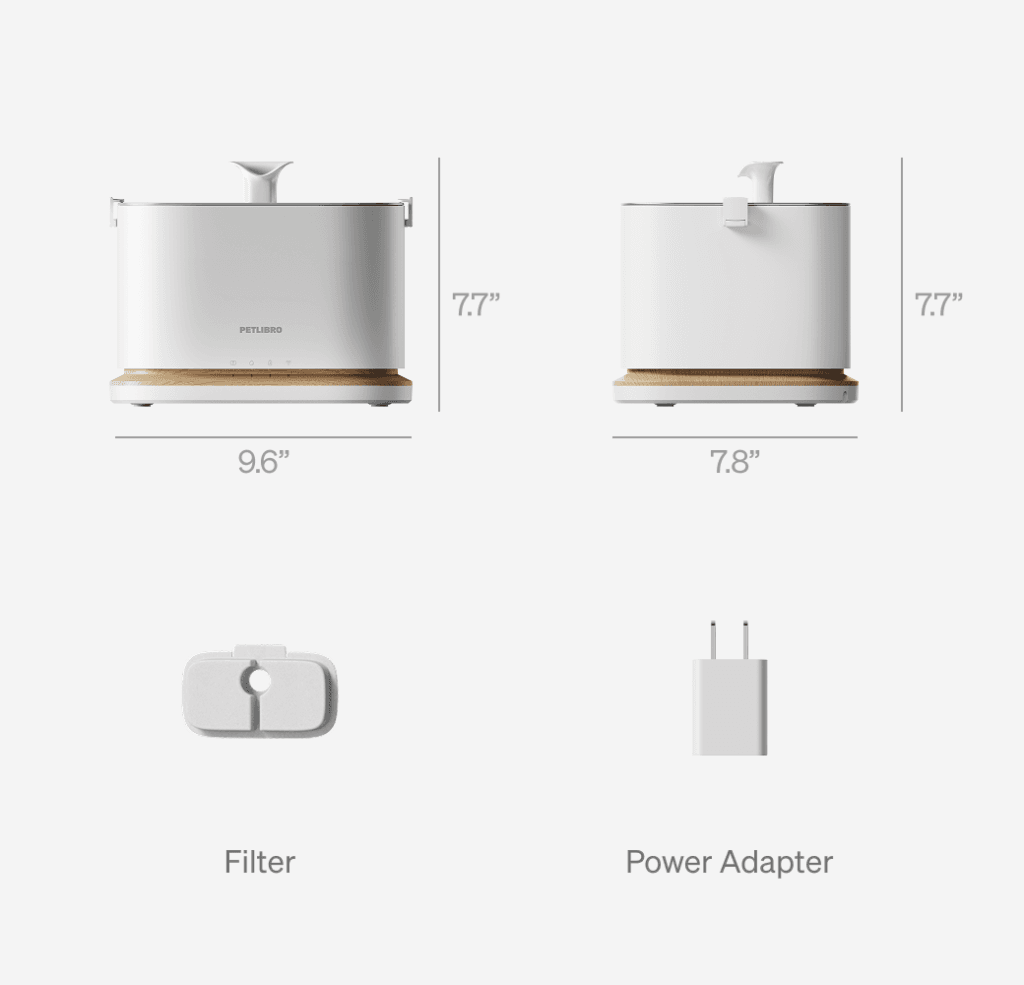
    PETLIBRO Dockstream 2 smart cat water fountain dimensions with filter and power adapter shown below
    Dockstream 2 has a compact footprint and includes the fountain body, filter and power adapter, making size and maintenance requirements clear before purchase.

    Dockstream 2 is easier to maintain than many older fountain designs, but it still needs regular care.

    You should expect to:

    • refill the tank;
    • clean the tray and tank;
    • replace filters on schedule;
    • check for residue buildup;
    • keep the app and Wi-Fi connection stable;
    • recharge or manage power depending on the version used.

    The smart features help most when they reduce forgetfulness.

    They do not remove the need to clean.

    Is Dockstream 2 Good for Multi-Cat Homes?

    It can be used in a multi-cat home, but it is not the best multi-cat tracking choice.

    The issue is not capacity alone.

    The issue is interpretation.

    If three cats use the same non-RFID fountain, the app can show water activity, but not reliably assign drinking to one individual cat. That is fine if you only care about the shared water station.

    It is not enough if you need to know whether one specific cat is drinking differently.

    For multi-cat identity, choose Dockstream RFID.

    For broader health-related routine signals, see our Best Smart Cat Health Monitors guide.

    Is Dockstream 2 Worth It?

    Dockstream 2 is worth it if the app layer will change your routine.

    It is worth paying for when:

    • you refill earlier because of alerts;
    • you replace filters more consistently;
    • you notice repeated hydration changes;
    • you place water where your cat actually drinks;
    • you want smart tracking without camera monitoring;
    • you have one main cat and do not need RFID.

    It is less worth it when:

    • you never check app data;
    • you need individual multi-cat tracking;
    • you want camera confirmation;
    • you prefer a non-smart setup;
    • your cat already drinks well from a basic fountain and you maintain it reliably.

    The value is not the app itself.

    The value is whether the app makes the water routine easier to maintain.

    Frequently Asked Questions

    Does PETLIBRO Dockstream 2 track individual cats?

    No. Dockstream 2 is best treated as a one-cat hydration tracker or a shared fountain with general app data.

    For individual multi-cat tracking, choose PETLIBRO Dockstream RFID.

    Does Dockstream 2 read implanted microchips?

    No. Dockstream 2 does not use implanted microchip recognition.

    PETLIBRO Dockstream RFID uses RFID collar tags, not implanted microchips.

    Is Dockstream 2 cordless?

    Depending on the version and listing, Dockstream 2 is available with cordless/battery-powered placement. Always check the exact Amazon listing before buying because product variants can differ.

    Does Dockstream 2 diagnose dehydration or illness?

    No.

    It can show drinking activity and routine changes, but it cannot diagnose dehydration, kidney disease, urinary problems, or any medical condition. Contact a veterinarian if drinking changes are sudden, persistent, or paired with other symptoms.

    Is Dockstream 2 better than Dockstream RFID?

    Not for multi-cat identification.

    Dockstream 2 is better if you want simpler one-cat hydration tracking. Dockstream RFID is better when the question is which cat drank.

    Is Dockstream 2 better than PETKIT EverSweet Ultra?

    Only if you want a simpler and less expensive smart fountain.

    PETKIT EverSweet Ultra is more advanced because it adds camera monitoring and fresh-water separation. Dockstream 2 is better for buyers who do not need those features.

    Final Verdict

    PETLIBRO Dockstream 2 is the right smart fountain for owners who want hydration tracking without overbuilding the setup.

    It is best for one-cat homes, simple routines, app reminders, refill alerts, and buyers who want smart fountain data without camera monitoring or RFID collar tags.

    It is not the right choice if you need individual multi-cat drinking records, visual confirmation, or a premium water system that separates clean and used water.

    Choose Dockstream 2 if the problem is:

    “I want a better daily water routine and useful app reminders.”

    Skip it if the real problem is:

    “I need to know exactly which cat drank.”

    For the right household, Dockstream 2 is not the most advanced fountain.

    It is the more sensible one.

    Quick Shop

    References

    • PETLIBRO — Dockstream 2 Smart Fountain specifications, capacity, app features, power options, and maintenance design
    • PETLIBRO — Dockstream RFID Smart Fountain specifications and RFID-based multi-cat tracking
    • PETKIT — EverSweet Ultra with Camera specifications and OneWay water system
    • PetTech AI — Best Smart Cat Water Fountains guide
    • PetTech AI — Best Smart Cat Health Monitors guide

    Disclosure

    PetTech AI may earn a commission when readers purchase through affiliate links. That does not change how products are framed or compared. PETLIBRO Dockstream 2 can support a more consistent water routine, but it does not diagnose illness, replace fresh-water access, remove the need for cleaning, or substitute veterinary care when a cat’s drinking behavior changes.
  • PETLIBRO Polar vs Rotating Wet Food Feeders: Is Refrigeration Worth It?

    PETLIBRO Polar vs Rotating Wet Food Feeders: Is Refrigeration Worth It?

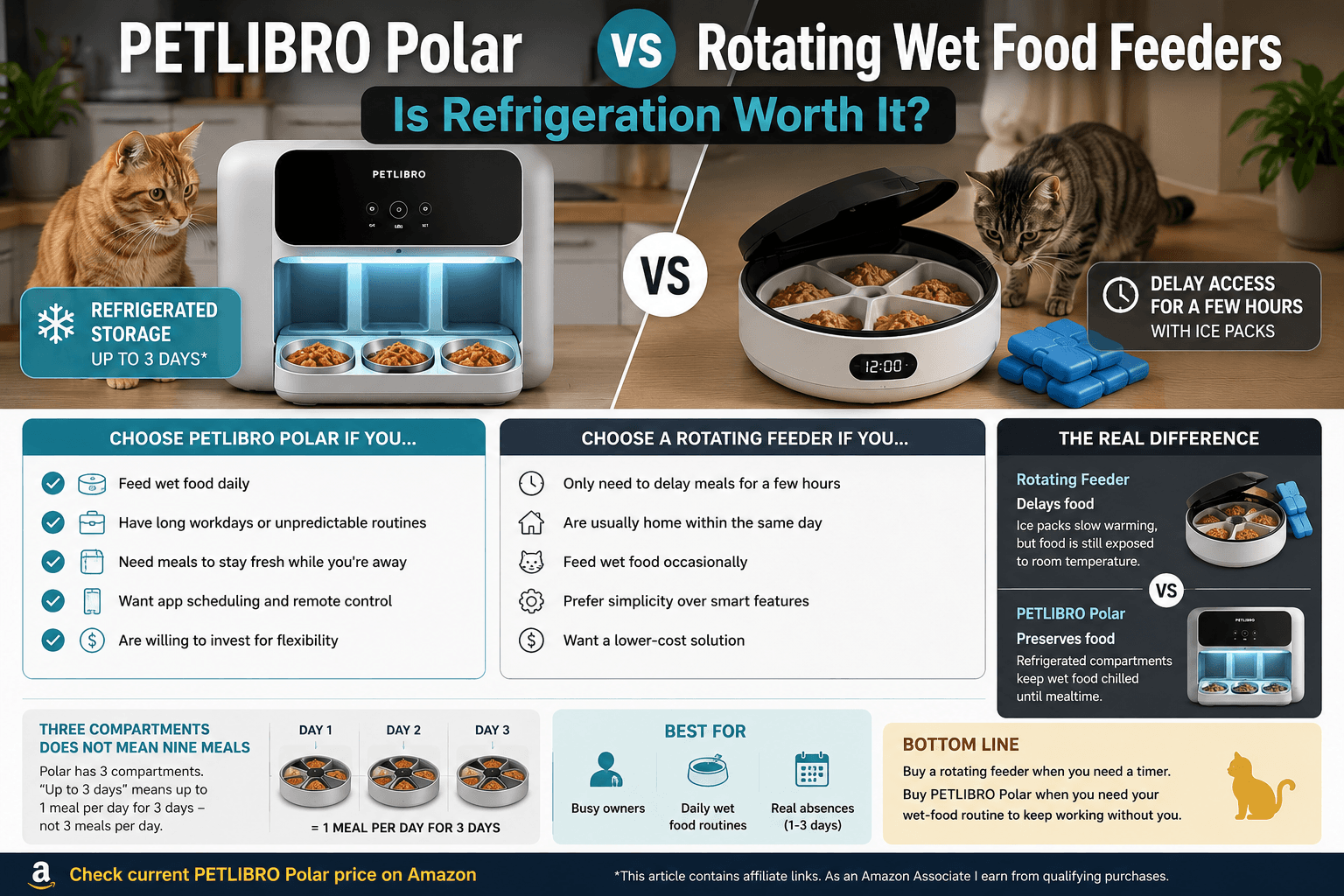
    A rotating feeder can reveal wet food later. A refrigerated feeder is designed to keep it usable until later.

    That difference sounds obvious, but it is where many buying decisions go wrong. People often look at a rotating wet food feeder with ice packs and assume they have solved wet-food feeding for days at a time. In reality, they have usually solved a much smaller problem: delaying one or two meals during the same day.

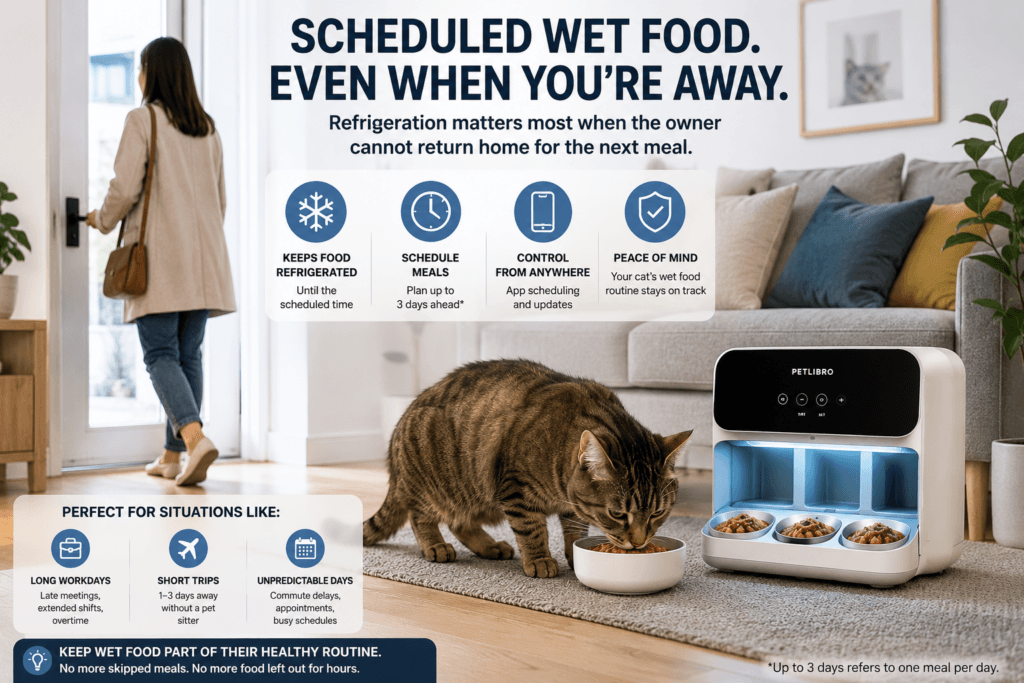
    PETLIBRO Polar sits in a different category. It is not simply a rotating feeder with more technology. Its value is tied to refrigeration, app scheduling, and the ability to keep wet food part of a routine when the owner cannot be home to serve it.

    The question is not whether refrigeration is more advanced. It is whether your cat’s feeding routine actually needs it.

    Quick Verdict

    Choose a rotating wet food feeder if:

    • You only need to delay wet-food meals by a few hours.
    • You are normally home within the same day.
    • You want a lower-cost solution for occasional use.
    • You are happy preparing meals manually and managing ice packs.
    • You do not need app scheduling or remote control.

    Choose PETLIBRO Polar if:

    • Wet food is a reliable part of your cat’s daily diet.
    • You have long workdays, commuting time, shifts, or unpredictable routines.
    • You need a meal to remain refrigerated until its scheduled time.
    • You want to schedule and manage feeding from an app.
    • You are paying for flexibility, not just automation.

    For a closer look at setup, cleaning, capacity, and daily ownership, read our PETLIBRO Polar Wet Food Feeder Review.

    Check the current PETLIBRO Polar price on Amazon

    This article contains affiliate links. As an Amazon Associate I earn from qualifying purchases.

    The Real Difference: Delaying Food vs Preserving Food

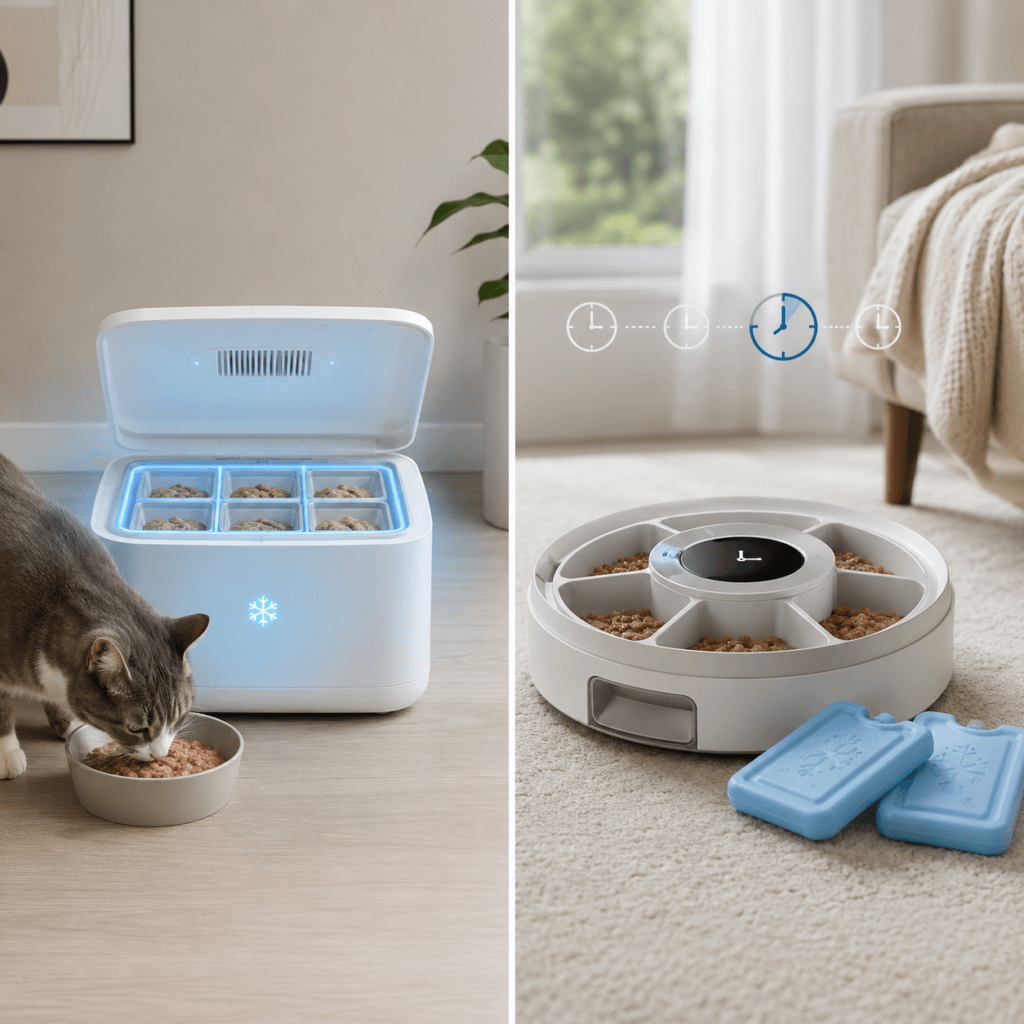
    Comparison between delaying wet food with ice packs and preserving it with refrigeration

    Traditional rotating wet food feeders work through a simple idea. You prepare meals in separate compartments, set a timer, and the tray rotates to reveal the next portion at the scheduled time.

    Some models include ice packs beneath the tray. That can be useful. It can slow down how quickly a prepared meal warms up, especially when the feeder is used for a limited part of the day.

    But an ice pack is not refrigeration.

    A rotating feeder is mainly a meal-timing device. It controls when your cat can access food. Its freshness support is limited and depends on room temperature, how long the meal sits out, the condition of the ice pack, and the food itself.

    PETLIBRO Polar is built around a different job. Its refrigerated compartments are meant to keep wet food chilled until a scheduled feeding window, making it possible to plan meals around a real absence rather than a short delay.

    That does not make a rotating feeder obsolete. It simply means the products solve different problems.

    A cheaper rotating feeder is not an inferior PETLIBRO Polar. It is a simpler answer to a smaller need.

    Rotating Feeders Are Still Useful — Just for a Narrower Routine

    A rotating wet food feeder can be the right choice when feeding automation is mostly about convenience.

    For example, imagine that you leave home at 8 a.m., return at 6 p.m., and want to give your cat a second wet-food meal in the afternoon. A rotating feeder may be enough. You can prepare the meal in advance, keep the unit away from heat and sunlight, and use an ice pack where appropriate.

    That setup makes sense when:

    • your absence is short;
    • the feeder is used occasionally rather than every day;
    • your cat eats wet food once or twice daily;
    • you can refill, clean, and freeze ice packs as part of your normal routine;
    • the lower upfront price matters more than advanced scheduling.

    This category works best for owners who need a timer.

    It works less well for owners who need their routine to keep functioning when they are unavailable for a longer stretch.

    PETLIBRO Polar Is About Routine Independence

    Cat wet food scheduled in a refrigerated feeder while the owner is away

    The Polar’s premium is not really about dispensing food automatically. Many cheaper feeders can dispense or reveal a meal on a schedule.

    The premium is about reducing the dependency on the owner being physically present at the right moment.

    With PETLIBRO Polar, the logic becomes:

    Prepare refrigerated wet-food meals in advance, schedule them, and let the feeding routine continue even when your day does not go as planned.

    That is useful for people who:

    • commute long distances;
    • work extended or changing shifts;
    • regularly miss a midday feeding window;
    • want to leave home without worrying that wet food will sit out for too long;
    • rely on a predictable feeding schedule for one cat or a small household.

    The app matters here because it adds control rather than novelty. A schedule can be adjusted remotely, and the owner has a clearer system than a basic mechanical timer.

    That does not mean every cat owner needs app control. But for someone whose daily routine is frequently disrupted, it can be the difference between a feeding tool and a feeding system.

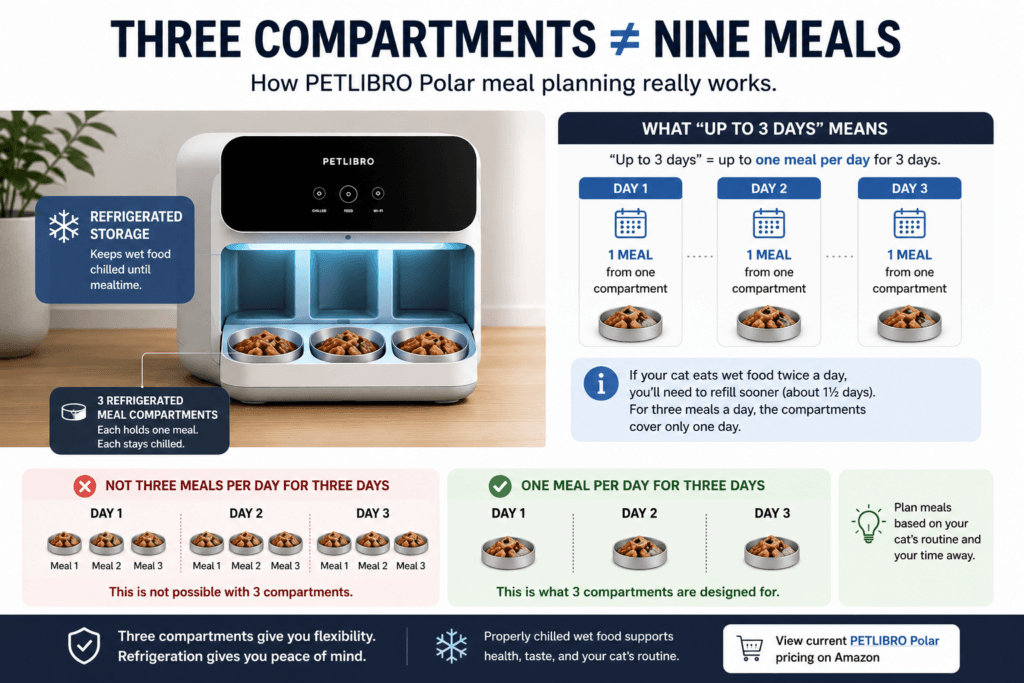
    Three Compartments Does Not Mean Nine Meals

    Three refrigerated wet food compartments showing one meal per day for three days

    This is the most important clarification before buying PETLIBRO Polar.

    The feeder has three physical meal compartments. Its “up to three days” positioning should be understood as up to one refrigerated meal per day across three days.

    It does not mean you can leave three meals per day for three full days.

    If your cat eats wet food twice a day, you would need to refill the feeder much sooner. If your cat eats three wet meals a day, the three compartments can cover only one day of feeding.

    That is not a flaw. It is simply the practical limit of the design.

    Polar is best understood as a way to make a single daily wet-food meal more flexible, or to cover a short period when one meal per day needs to happen without the owner returning home.

    Buy it for that purpose and it makes sense.

    Buy it expecting a fully automated multi-meal wet-food system for several days and you may be disappointed.

    When a Rotating Feeder Is the Better Buy

    A rotating wet food feeder remains the smarter purchase in several situations.

    You only need help for a few hours

    Maybe you have a dinner plan, a late work meeting, or an occasional day out. A rotating feeder can handle that without requiring a premium refrigerated system.

    Wet food is not your cat’s main routine

    If wet food is only an occasional treat or one small meal in an otherwise dry-food diet, Polar may be more capability than you need.

    In that case, a dry-food system with stronger scheduling or camera features may make more sense. Our PETKIT YumShare Solo 2 Camera Review is relevant for owners whose routine is built mainly around kibble, portion control, and remote meal visibility rather than refrigerated food.

    You value simplicity over remote control

    A rotating feeder has fewer components, fewer settings, and fewer moving parts. You prepare food, set the timer, and use it when needed.

    For some owners, that is exactly the appeal.

    Budget is the main constraint

    The price gap between a basic rotating feeder and a refrigerated smart feeder is significant. If the product only solves an occasional inconvenience, the cheaper category may deliver most of the value.

    When PETLIBRO Polar Is Worth the Premium

    Polar becomes easier to justify when wet food is a meaningful part of the cat’s routine and the owner’s schedule is the weak point.

    You regularly miss a feeding window

    This is the clearest case.

    A cat that expects a wet-food meal at noon does not care whether you are stuck in traffic, at work, on a train, or delayed by an appointment. Polar gives you a way to schedule the meal without leaving food exposed for the whole day.

    Your routine changes often

    The feeder makes more sense for people with irregular schedules than for people with a perfectly predictable lifestyle.

    A person who works from home most days may not gain much from it. A person whose hours change weekly may gain a lot.

    You want wet food to remain practical

    Many owners gradually rely more on dry food because wet-food feeding is harder to coordinate. It requires preparation, timing, cleaning, and physical presence.

    Polar does not remove every responsibility, but it reduces one of the biggest constraints: being home at the exact time a fresh meal needs to be served.

    You are buying convenience that affects every week

    The best reason to pay more is not that the machine looks impressive.

    It is that it removes a recurring friction point from your week.

    If you would use it once every few months, a rotating feeder is probably enough.

    If you would use it several times per week, refrigeration can become a practical quality-of-life feature rather than an expensive extra.

    Cleaning and Daily Ownership: More Technology Means More Responsibility

    Neither category is completely “set and forget.”

    A rotating feeder is usually straightforward to clean. You remove the tray, wash the food compartments, clean the ice packs, and prepare the next meals.

    Polar offers more convenience around food storage, but it also needs more thoughtful maintenance.

    Wet food can leave residue quickly. Condensation can occur. Compartments, bowls, and feeding surfaces still need regular cleaning. Refrigeration helps with storage, but it does not eliminate hygiene.

    You should also treat the feeder as a food-management tool, not as permission to ignore your cat’s eating habits for days.

    A smart feeder can schedule a meal. It cannot tell you whether your cat actually ate it, whether a portion was tolerated well, or whether a sudden change in appetite needs attention.

    For that reason, Polar works best as part of a routine that remains attentive, not one that becomes completely hands-off.

    The Real Cost Question: What Are You Paying For?

    With a rotating feeder, you are mostly paying for a timer, compartments, and limited freshness support.

    With PETLIBRO Polar, you are paying for:

    • refrigerated food storage;
    • app-based scheduling;
    • more flexibility around absence;
    • a more structured wet-food routine;
    • reduced pressure to be home for every meal.

    That is why comparing the products only by price misses the point.

    The right question is:

    How much is it worth to keep wet food practical when I cannot be there?

    For some owners, the answer is “not much.” They can prepare a meal, use an ice pack feeder, and return home later that day.

    For others, the answer is “a lot.” Their work pattern, commute, or lifestyle repeatedly turns wet-food feeding into a logistical problem.

    That is the audience Polar is designed for.

    PETLIBRO Polar vs Rotating Wet Food Feeders: Final Verdict

    Buy a rotating feeder when you need a timer.

    Buy PETLIBRO Polar when you need your wet-food routine to continue without you.

    A rotating feeder is the practical, lower-cost solution for delayed meals, short absences, and occasional convenience. It is especially sensible when you are usually home the same day and do not need remote control.

    PETLIBRO Polar is worth paying more for when refrigeration changes what your feeding routine can realistically do. Its value is not “smart technology” in the abstract. Its value is making wet food easier to manage when life does not follow a perfect schedule.

    Choose PETLIBRO Polar if refrigerated meal timing would genuinely make your day easier — not simply because the technology looks impressive.

    View the current PETLIBRO Polar price on Amazon

    This article contains affiliate links. As an Amazon Associate I earn from qualifying purchases.

    Frequently Asked Questions

    Can rotating wet food feeders keep food fresh?

    They can delay access to a prepared meal, and models with ice packs may provide short-term temperature support. They are not the same as a refrigerated storage system, especially for longer absences.

    Is PETLIBRO Polar worth it for one cat?

    It can be. The deciding factor is not the number of cats but whether one cat’s wet-food routine is difficult to maintain around your schedule.

    Can PETLIBRO Polar feed a cat for three days?

    It is designed around three refrigerated compartments and up to three days of storage. In practical terms, that means one meal per day across three days, not three meals per day for three days.

    Does PETLIBRO Polar replace regular meal preparation?

    No. You still need to portion food, refill the compartments, clean the feeder, and pay attention to your cat’s eating habits. It automates timing and refrigerated storage, not overall care.

    Should I choose a refrigerated wet-food feeder or a dry-food smart feeder?

    Choose a refrigerated wet-food feeder when wet food is central to your cat’s routine and timing is the problem. Choose a dry-food smart feeder when portion control, larger capacity, camera features, or multiple daily kibble meals matter more.

    References

    • PETLIBRO Polar product information and user guidance
    • PETLIBRO Polar Amazon listing
    • Rotating wet-food feeder manufacturer instructions and care guidance
  • PETLIBRO Polar Wet Food Feeder Review (2026): Is This Tiny Wi-Fi Fridge Worth It?

    PETLIBRO Polar Wet Food Feeder Review (2026): Is This Tiny Wi-Fi Fridge Worth It?

    If your cat treats breakfast at 5:17 a.m. as a legally binding agreement, wet food can make life complicated.

    Dry-food feeders are simple: fill the hopper, set a schedule, and let the machine handle the negotiations. Wet food is messier, more perishable, and generally expects a human employee to report for duty on time.

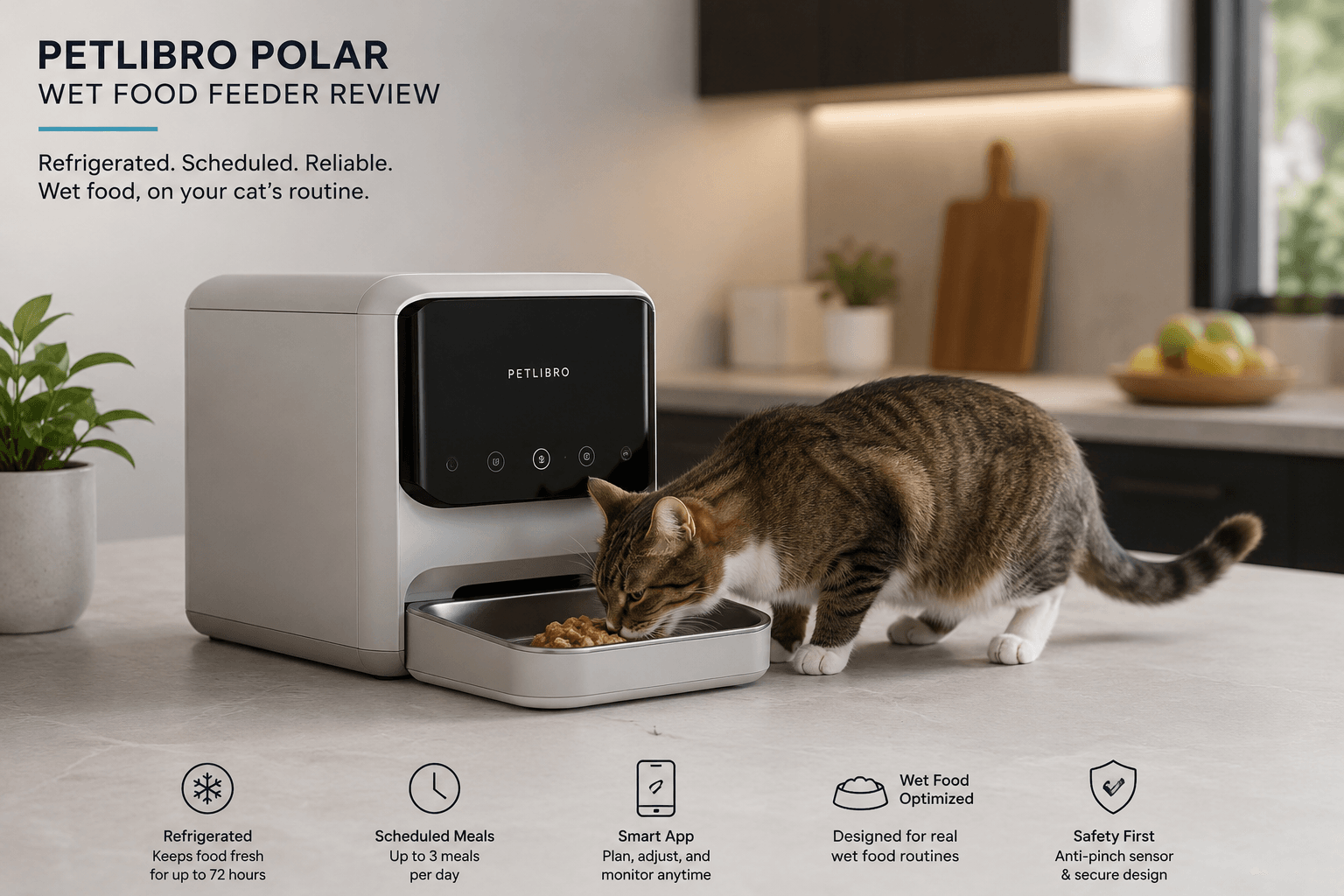
    The PETLIBRO Polar tries to solve that problem with actual thermoelectric cooling, three scheduled meal compartments, and app control.

    It is not a robotic cat butler.

    It is essentially a small refrigerated tray with Wi-Fi—and for the right household, that may be exactly enough.

    Research note: This is a research-led review based on official PETLIBRO documentation, independent testing, and available owner feedback. PetTech AI has not conducted a long-term hands-on test of the PETLIBRO Polar.

    Version note: This review covers the refreshed PETLIBRO Polar associated with Amazon ASIN B0GRHQGDCB, featuring the removable stainless-steel tray, portion markings and revised three-prong power adapter.

    Quick Verdict

    CategoryVerdict
    Best forCats already eating wet food on a predictable schedule
    Main benefitRefrigerated meals without ice packs
    Meal capacityThree scheduled portions
    App controlYes, through 2.4 GHz Wi-Fi
    Main buyer-regret riskIt still requires cleaning, refilling, and food-safety judgment
    Skip it ifYou feed raw food, need vacation coverage, or only delay meals occasionally
    RecommendationRecommended with Conditions — one of the most convincing options for households that routinely feed wet food and need scheduling flexibility.

    The PETLIBRO Polar makes sense when wet food is already non-negotiable and your main problem is being physically present for every meal.

    It makes much less sense when you only need one delayed dinner every few months. In that case, buying a refrigerated smart feeder is the pet-tech equivalent of purchasing a forklift to move a grocery bag.

    Verdict: Buy it for routine flexibility, not for hands-off pet care.

    PetTech AI may earn a commission from qualifying purchases. As an Amazon Associate I earn from qualifying purchases.

    Check current Amazon availability and recent buyer feedback.

    Who Should Buy the PETLIBRO Polar?

    The Polar is a strong fit when:

    • wet food is already part of your cat’s daily diet;
    • work or other commitments regularly interrupt meal times;
    • you want to prepare up to three meals in advance;
    • you dislike dealing with ice packs;
    • your cat is large enough to use the raised feeding area comfortably;
    • you are willing to clean food-contact surfaces after each feeding plan.

    Its best use case is not a dramatic emergency.

    It is ordinary life: early shifts, late meetings, evenings out, or mornings when your cat has scheduled breakfast before your brain has scheduled consciousness.

    Who Should Skip It?

    Choose something simpler if:

    • your cat mainly eats dry food;
    • you need only an occasional delayed meal;
    • you feed raw or homemade food with stricter storage requirements;
    • you want visual confirmation that your cat actually ate;
    • your cat is very small or has difficulty reaching raised bowls;
    • you need more than three meal compartments;
    • you expect to leave your cat unattended for several days.

    Three compartments provide useful flexibility.

    They do not constitute a tiny all-inclusive resort for your cat.

    What Problem Does the Polar Actually Solve?

    Three-compartment refrigerated wet food feeder system for scheduled cat meals.

    The Polar solves timing friction.

    Traditional timed wet-food feeders usually rely on ice packs or short room-temperature windows. Those systems can work for one delayed meal, but they are less convincing when wet food is the normal diet rather than an occasional exception.

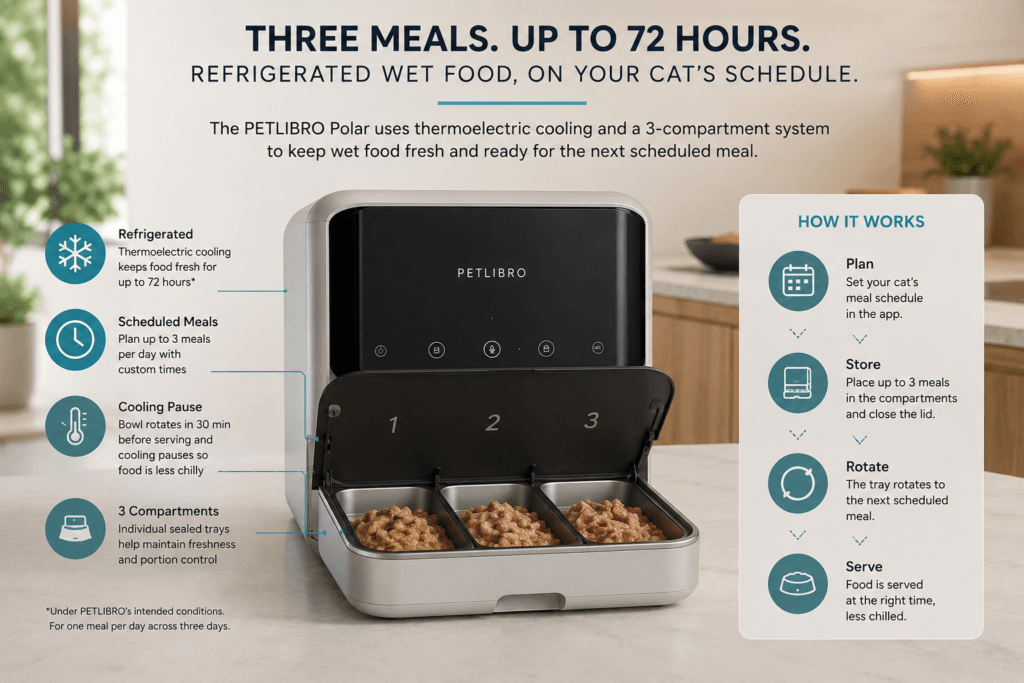
    The Polar uses thermoelectric cooling to keep three prepared portions chilled. Before each scheduled meal, the selected compartment moves into position and cooling pauses so the food is not served directly at its coldest temperature.

    PETLIBRO says food can remain chilled for up to 72 hours under its intended conditions. That claim should not be interpreted as permission to ignore food handling for three days.

    The company reports that, in laboratory testing at a room temperature of 77°F, the Polar cooled food to around 54°F. It recommends operating the feeder in rooms between 54°F and 86°F.

    In other words, this is controlled thermoelectric cooling—not a magical force field around yesterday’s pâté.

    Placement, room temperature, cleanliness, food type, and the time a meal remains exposed still matter.

    Three Reasons to Consider It

    1. It removes the ice-pack compromise

    The most important advantage is refrigeration without frozen inserts.

    You can prepare meals, schedule them through the app, and let the feeder manage when each compartment becomes accessible.

    That gives wet-food households more freedom without forcing them to use kibble whenever nobody is home at the correct time.

    2. The app solves a real problem

    Smartphone app scheduling refrigerated wet food meals for a cat feeder.

    Some pet apps exist mainly to transform a simple appliance into another source of notifications.

    The Polar app has a clearer purpose.

    It lets you:

    • schedule meals;
    • repeat feeding plans;
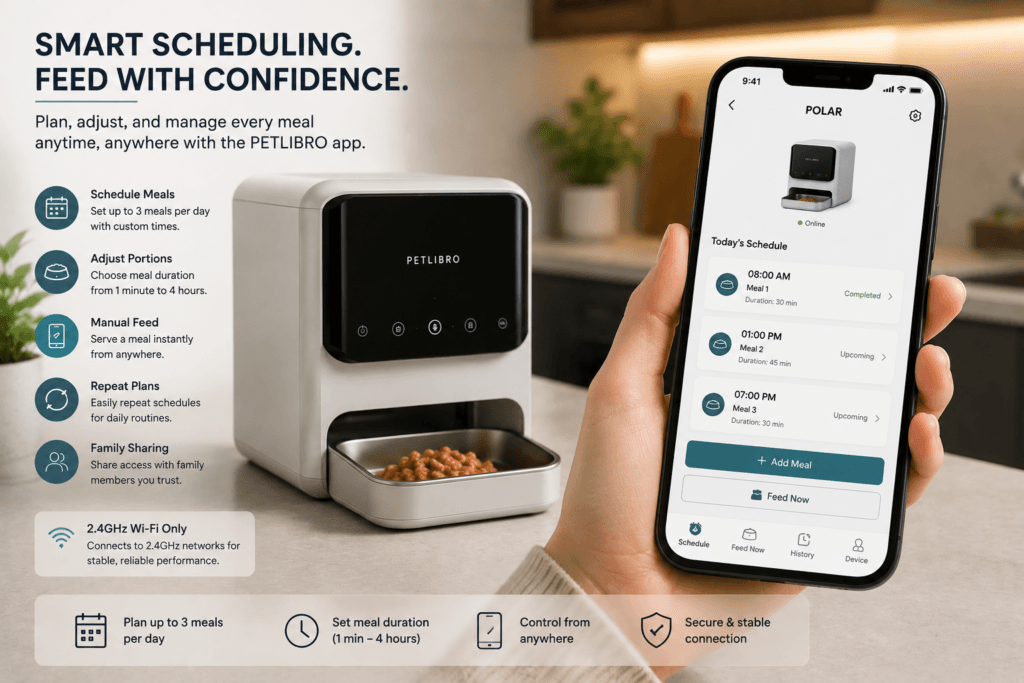
    • trigger a meal manually;
    • adjust how long food remains accessible;
    • manage the feeder remotely.

    The Polar does not need a complex health dashboard. Its job is simply to put the correct compartment in front of the cat at the correct time.

    3. The refreshed tray is easier to maintain

    Cat wet food feeder bowl and removable feeding components being cleaned after use.

    The refreshed 2026 model includes a removable stainless-steel food tray.

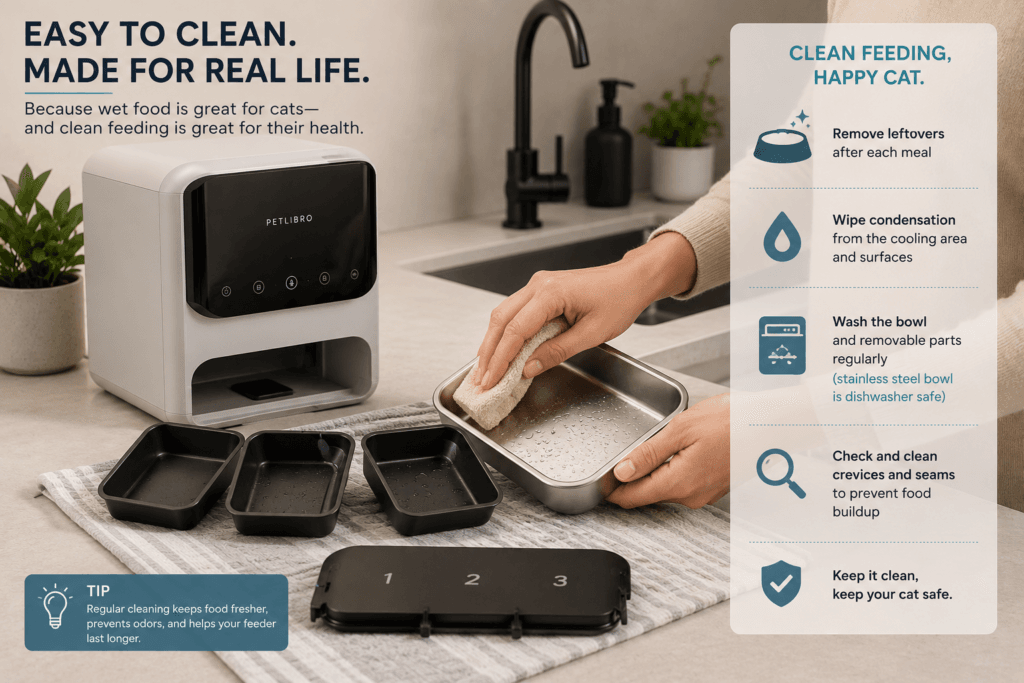
    That provides a durable, dishwasher-safe food-contact surface and makes routine washing more straightforward than scrubbing food residue from a permanently installed compartment.

    The feeder also uses an anti-pinch lid sensor designed to stop and retract the lid when a cat remains nearby.

    Where the PETLIBRO Polar Can Disappoint

    It does not eliminate wet-food cleaning

    Polar reduces scheduling work.

    It does not eliminate:

    • uneaten food;
    • condensation;
    • tray washing;
    • residue around the lid and compartment edges;
    • regular refilling;
    • insects attracted by wet-food smells.

    PETLIBRO recommends removing leftovers after feeding plans, wiping condensation from the cooling area, and cleaning small gaps and connection points regularly.

    Anyone expecting “load it on Monday and forget it exists” is buying the wrong product.

    Three compartments are still only three compartments

    The Polar can schedule three portions.

    That may mean:

    • one meal per day across three days;
    • three meals during one day;
    • another combination requiring regular refilling.

    It is not a high-capacity vacation feeder, and it does not replace a responsible person checking on your cat during longer absences.

    Physical fit can be a problem

    The feeder is approximately 7.7 inches tall, with the opening positioned around 6.1 inches high.

    PETLIBRO recommends a cat shoulder height of at least 6.1 inches for comfortable use.

    That makes the Polar less suitable for:

    • small kittens;
    • unusually small adult cats;
    • cats with mobility limitations;
    • cats that dislike reaching into deeper feeding areas.

    Measure the cat, not merely the empty space on the kitchen floor.

    Cooling depends on wall power

    The Polar needs continuous wall power for refrigeration.

    Three AA backup batteries can keep the feeding schedule operating for up to 12 hours during an outage, but they do not provide normal refrigerated operation.

    If power fails for an extended period—especially in a warm room—do not assume the food remains safe simply because the tray can still rotate.

    It cannot confirm that your cat ate

    The Polar has app scheduling, but no camera or individual-cat recognition.

    It can tell you that a meal was presented.

    It cannot prove:

    • which cat ate;
    • how much was consumed;
    • whether another cat stole the meal;
    • why food was left behind.

    For those problems, you need a camera feeder, access-controlled feeding, or direct observation.

    PETLIBRO Polar vs a Basic Timed Wet-Food Feeder

    Choose Polar when…Choose a basic timed tray when…
    Wet food is served every dayYou only delay meals occasionally
    Refrigeration changes your routineIce packs are sufficient
    App scheduling is usefulYou prefer offline simplicity
    You need several prepared mealsYou need one short delay
    You accept regular cleaningLowest cost matters most

    The Polar’s premium is justified only when refrigeration solves a recurring problem.

    A basic rotating tray is often the smarter purchase when you are normally home and only need occasional coverage.

    For dry-food scheduling, refrigerated meals, RFID access, and microchip-controlled feeding, see our Best Automatic Cat Feeders guide.

    The Six-Month Question

    After the novelty wears off, what will still matter?

    Not the app animation.

    Not the fact that your feeder technically has Wi-Fi.

    The lasting value is whether the Polar consistently allows you to maintain your cat’s normal wet-food routine without reorganizing your day around every meal.

    If it does that several times per week, the device earns its space.

    If it saves you from one mildly inconvenient dinner every three months, it probably does not.

    Final Verdict

    The PETLIBRO Polar is a strong solution to a narrow but genuine problem.

    It gives wet-food households more control over meal timing without relying on dry food or melting ice packs. The refrigerated compartments, stainless-steel tray, app scheduling, and pre-meal warming period form a coherent product rather than a collection of decorative smart features.

    Its limitations are equally clear.

    It holds only three meals, requires wall power for cooling, needs consistent cleaning, may not suit smaller cats, and cannot confirm who actually ate. It is not a vacation-feeding solution and should not be treated as one.

    Choose the Polar if wet food is already central to your cat’s routine and your schedule regularly gets in the way.

    Skip it if you only need occasional timing support or want feeding to become completely hands-off.

    Verdict: One of the most convincing refrigerated wet-food solutions for the household that genuinely needs it—and an expensive answer to a question everyone else was not asking.

    Check current Amazon availability and recent buyer feedback.

    Frequently Asked Questions

    How long can the PETLIBRO Polar keep wet food chilled?

    PETLIBRO claims up to 72 hours under its intended operating conditions. Food type, room temperature, placement, hygiene, and time exposed after serving still matter.

    Does the Polar use ice packs?

    No. It uses thermoelectric cooling and requires wall power for normal refrigerated operation.

    Can it operate during a power outage?

    Three AA backup batteries can keep scheduled feeding operating for up to 12 hours. They should not be treated as backup refrigeration.

    Can I use raw food in the Polar?

    PETLIBRO recommends against using raw food because storage requirements and safe holding times vary significantly.

    Is it suitable for kittens?

    Not always. The feeder is approximately 7.7 inches tall, and PETLIBRO recommends a shoulder height of around 6.1 inches for comfortable access.

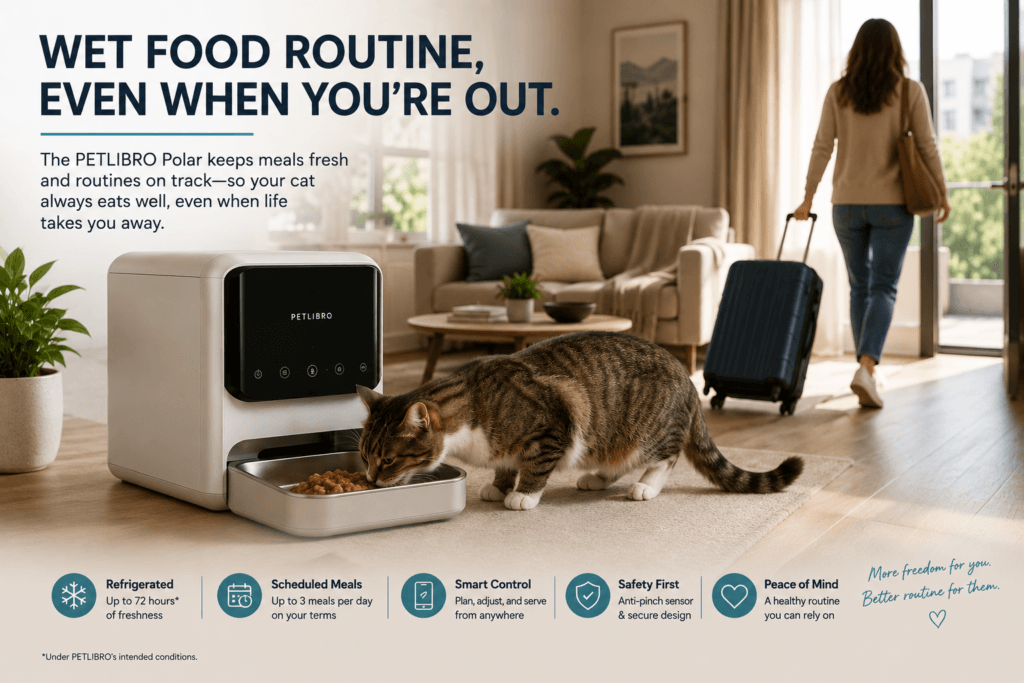
    Cat wet food feeding routine maintained with a refrigerated automatic feeder while the owner is away.

    References

    • PETLIBRO — Polar Refrigerated Wet Food Feeder product specifications
    • PETLIBRO — Polar setup, cleaning, compatibility, temperature, and safety guidance
    • PETLIBRO — Polar user manual and app documentation
    • Cats.com — Independent PETLIBRO Polar testing and ownership review
    • TIME — PETLIBRO Polar product overview

    Disclosure

    PetTech AI may earn a commission from qualifying purchases. This does not influence our recommendations, comparisons or editorial judgments.

  • Best Pet Tech Apps for Cats (2026): Useful Control or Notification Hell?

    Best Pet Tech Apps for Cats (2026): Useful Control or Notification Hell?

    Smart-pet apps promise one calm dashboard for feeding, litter care, cameras and safety.

    In practice, many homes end up with five accounts, three subscriptions and fourteen notifications confirming that Gerald has approached a bowl.

    The best pet tech app is not the one with the most graphs. It is the one that makes compatible hardware easier to control, presents useful information clearly and tells you something you can actually act on.

    This guide compares six major cat-focused platforms by software experience—not by how aggressively each brand has inserted the word “AI” into its marketing.

    Quick Verdict

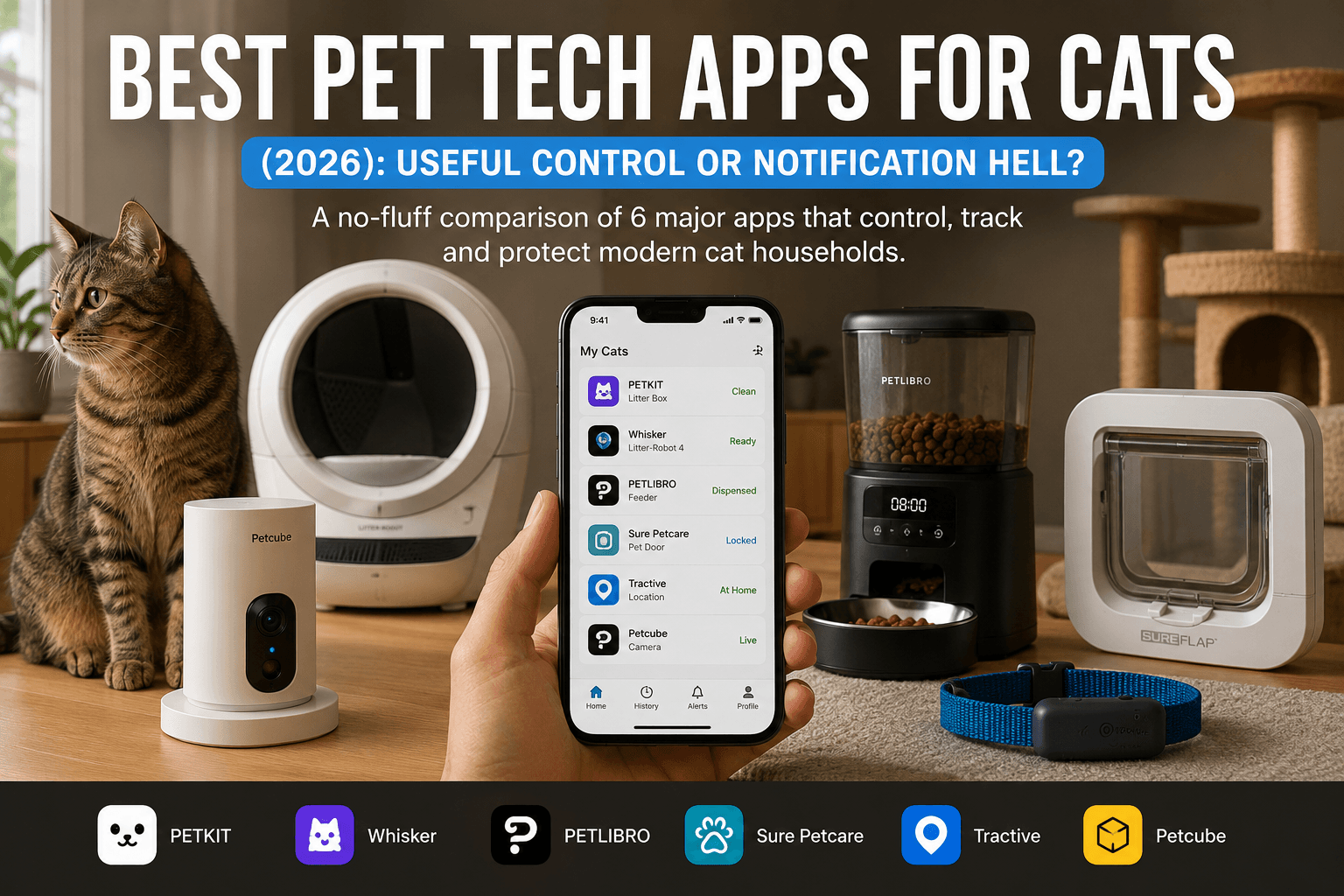
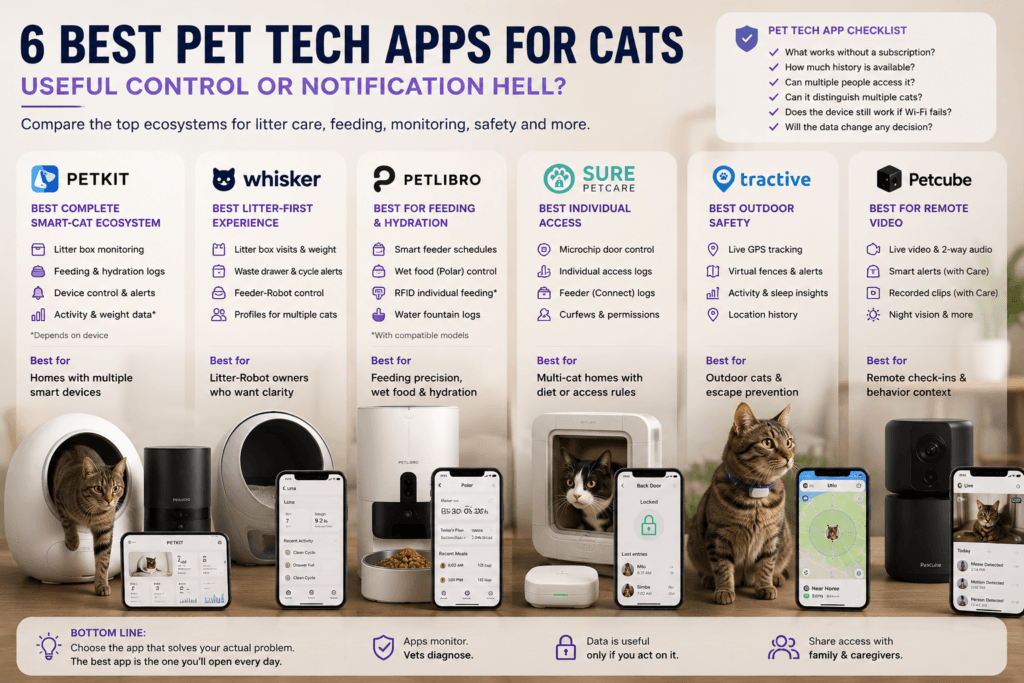
    Comparison of PETKIT, Whisker, PETLIBRO, Sure Petcare, Tractive and Petcube app ecosystems
    The leading pet tech apps solve different problems—from litter automation and feeding to access control, GPS tracking and remote video. AI-generated editorial comparison; verify current app features and compatibility.
    AppBest forPetTech AI verdictMain limitation
    PETKITBroadest smart-cat ecosystemRecommendedStrong ecosystem lock-in
    WhiskerAutomatic litter care and feedingRecommendedNarrower device range
    PETLIBROFeeding and hydrationRecommended with ConditionsCompatibility varies by model and app
    Sure PetcareIndividual access in multi-cat homesRecommended with ConditionsRequires compatible Connect hardware and usually a Hub
    TractiveOutdoor GPS and activity trackingStrong Recommendation with ConditionsMandatory subscription and collar dependence
    PetcubeRemote video monitoringConditional RecommendationSmart alerts and useful history depend heavily on Petcube Care

    Best overall: PETKIT offers the widest cat-specific hardware ecosystem inside one app.

    Best focused experience: Whisker is easier to understand because it concentrates on litter care and scheduled feeding.

    Best app for outdoor cats: Tractive, provided your cat accepts the collar and the recurring subscription makes sense.

    Research Note

    This is a research-led comparison based on current official app listings, manufacturer documentation and PetTech AI’s individual product audits.

    PetTech AI has not conducted identical long-term hands-on testing across every app, device and subscription tier.

    Features can vary by hardware generation, operating system, country and paid membership. Always verify that the exact product you are buying works with the app and functions discussed here.

    PetTech AI may earn a commission from qualifying purchases. As an Amazon Associate I earn from qualifying purchases.

    What Makes a Pet Tech App Actually Useful?

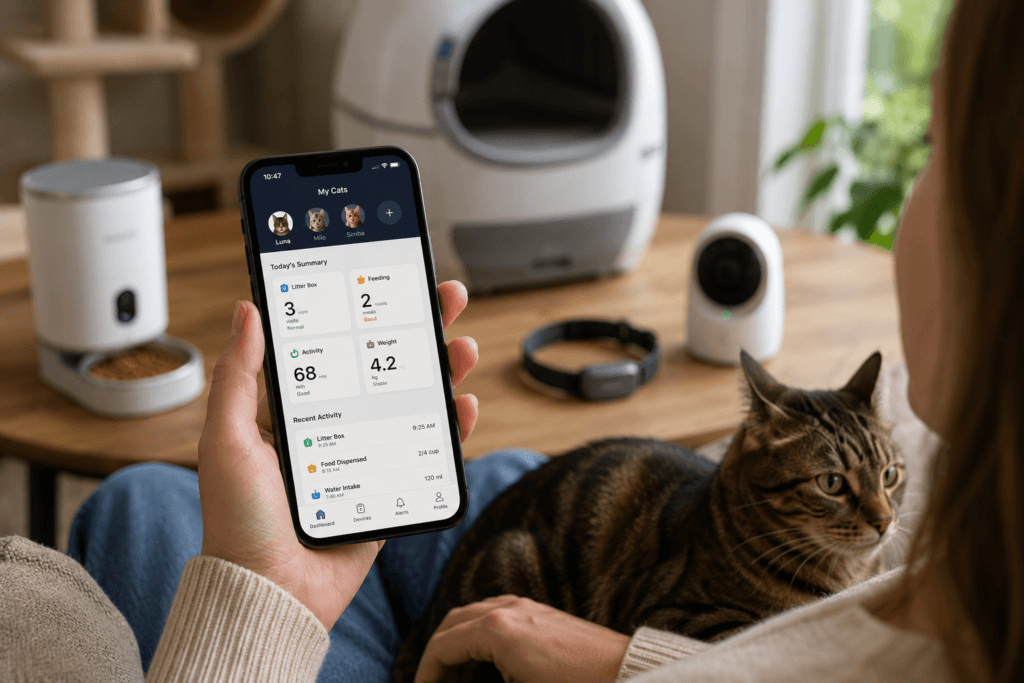
    Cat owner reviewing feeding, litter, activity and weight records on a smartphone while holding a cat
    App records become useful only when owners review meaningful trends and combine them with direct observation—not when notifications simply accumulate. AI-generated editorial illustration.

    A pet app earns its place when it performs at least one of four jobs well:

    • controls a device reliably;
    • presents trends more clearly than raw event logs;
    • sends alerts that deserve attention;
    • reduces routine work without creating a second administrative job.

    It should also make clear what happened.

    “Device event detected” is technically a notification. It is not necessarily information.

    Before choosing an ecosystem, ask:

    1. Which features work without a subscription?
    2. How much history remains available?
    3. Can several people access the household?
    4. Can the app distinguish individual cats?
    5. Does the device continue its core job if Wi-Fi fails?
    6. Will the collected data change any decision?

    No app should diagnose a medical condition. Persistent or concerning changes in appetite, activity, weight or litter-box behavior still need direct observation and veterinary interpretation. Cornell advises veterinary assessment when cats show meaningful acute or gradual behavioral or health changes.

    PETKIT App: Best Complete Smart-Cat Ecosystem

    Verdict: Recommended

    PETKIT has the broadest cat-focused software environment in this comparison.

    Depending on the connected hardware, the app can manage:

    • automatic litter boxes;
    • camera feeders;
    • conventional smart feeders;
    • water fountains;
    • environmental products;
    • feeding, drinking, weight and litter-use records.

    PETKIT’s current app listing presents litter activity, meals, hydration and general activity in one account, although the actual data available depends entirely on the connected device.

    Where PETKIT wins

    PETKIT makes the most sense when you want several categories under one login.

    A household can begin with a PuraMax 2, add a YumShare feeder and later connect an EverSweet fountain without creating an entirely separate software relationship for every appliance.

    That does not mean the devices automatically collaborate.

    The app aggregates several product categories, but it should not be mistaken for a clinical intelligence system that safely converts litter, feeding and hydration records into one medical conclusion.

    Where it disappoints

    Its usefulness creates pressure to remain inside the PETKIT catalog.

    Once several products share profiles, alerts and maintenance records, replacing one category with another brand becomes slightly more annoying. The app is free; the expanding collection of hardware required to make it fascinating is where the economic subplot begins.

    Choose PETKIT when:

    • you expect to own devices in several categories;
    • litter care is the likely starting point;
    • one account matters more than complete brand flexibility;
    • you will review trends without treating them as diagnoses.

    Skip it when you only need one simple device and do not care about ecosystem expansion.

    Does a broad PETKIT setup fit your home? Explore current PETKIT devices.

    Prefer Amazon?

    Read our PETKIT Ecosystem Review before transforming the utility room into a regional branch office.

    Whisker App: Best Litter-First Experience

    Verdict: Recommended

    The Whisker app controls the current Litter-Robot line and Feeder-Robot.

    Depending on the model and membership, it can show:

    • litter-box visits;
    • weight trends;
    • waste-drawer status;
    • cleaning-cycle alerts;
    • remote controls and settings;
    • feeding schedules;
    • high-level feeding trends;
    • personalized cat profiles.

    Whisker states that all its robots can be managed in the same app. It also explicitly notes that the devices do not interact with one another; they simply coexist under the same account and profiles. That is an important distinction between unified control and actual automation.

    Where Whisker wins

    The narrower ecosystem makes the app easier to understand.

    Whisker is not trying to control fountains, doors, trackers, climate pods and whatever Archibald may request during the next fiscal quarter. It focuses on two repetitive jobs:

    • cleaning litter;
    • dispensing dry food.

    That produces a cleaner software proposition for homes already centered on Litter-Robot.

    Where it disappoints

    Some deeper history and individualized insights vary by Litter-Robot model and Whisker+ membership. The most advanced experience therefore belongs to owners who have already purchased premium hardware and may accept another software layer.

    Choose Whisker when:

    • automatic litter care is the main priority;
    • you already own or plan to buy Litter-Robot;
    • weight and bathroom trends matter;
    • a focused app is preferable to a sprawling ecosystem.

    Skip it when you want feeding, hydration, doors and GPS inside one platform.

    For the hardware decision, read Litter-Robot 5 vs 5 Pro vs EVO.

    PETLIBRO App: Best for Feeding and Hydration

    Verdict: Recommended with Conditions

    PETLIBRO’s app focuses primarily on food and water.

    The current app connects with compatible products from lines including Granary, Polar, Dockstream, Space and Air. Depending on the model, owners can manage schedules, review feeding or drinking activity, receive maintenance alerts and remotely control supported functions.

    Where PETLIBRO wins

    The ecosystem remains easier to understand than PETKIT’s.

    It is strongest when the household wants:

    • scheduled dry food;
    • refrigerated wet-food scheduling;
    • individual feeding access;
    • connected water fountains;
    • camera-assisted meal checks.

    PETLIBRO also offers several genuinely different feeding solutions rather than five cosmetic variations of the same hopper.

    Where it disappoints

    Compatibility is fragmented.

    Not every PETLIBRO product is smart, not every connected product offers the same data, and PETLIBRO and PETLIBRO Lite are separate apps for different hardware generations. Check the listing before buying rather than assuming the logo guarantees one software experience.

    Choose PETLIBRO when:

    • feeding is the primary problem;
    • you want wet-food, RFID or camera options;
    • hydration may become a second category;
    • you are willing to verify app compatibility carefully.

    Skip it when litter automation is central or you want one broad whole-home ecosystem.

    Need app-controlled wet-food scheduling? Check PETLIBRO Polar on Amazon.

    Our PETLIBRO Polar Review explains why refrigeration claims still require more nuance than “tiny cat refrigerator.”

    Sure Petcare App: Best for Individual Access

    Verdict: Recommended with Conditions

    Sure Petcare is less about general automation and more about controlling who gets access.

    With compatible Connect products, its app can manage and record functions such as:

    • pet-door locking and curfews;
    • entry and exit events;
    • individual access permissions;
    • food-consumption records on compatible feeders;
    • household sharing.

    The critical word is Connect.

    Standard microchip products may recognize a cat without offering app control. Compatible Connect devices communicate through the Sure Petcare Hub, which links them to the internet and app. The Hub can support multiple connected products in one household.

    Where Sure Petcare wins

    It solves concrete multi-cat problems:

    • one cat steals another’s food;
    • an indoor cat must not use the door;
    • curfews need to change remotely;
    • owners want individual entry or feeding records.

    This is more useful than collecting vague “wellness” scores while Biscuit continues eating everyone’s prescription diet.

    Where it disappoints

    The product naming and additional Hub requirement create friction.

    A buyer can easily purchase a microchip feeder and later discover that the device performs access control perfectly well—but has no intention of reporting lunch to a smartphone.

    Choose Sure Petcare when individual access is the actual problem.

    Skip it when you simply want scheduled feeding or generic activity monitoring.

    Would microchip-controlled access solve food theft or door conflict? Check Sure Petcare Connect products on Amazon.

    Tractive App: Best for Outdoor Safety

    Verdict: Strong Recommendation with Conditions

    Tractive has the clearest app purpose in this roundup:

    find the cat.

    Its current cat trackers support live GPS, virtual fences, location history, activity and sleep monitoring. Some current hardware and plans add further wellness information, but the central value remains location and escape alerts.

    Where Tractive wins

    For an outdoor, traveling or escape-prone cat, location data can answer an urgent question rather than create another lifestyle graph.

    The app can:

    • show live location;
    • alert when the cat crosses a virtual boundary;
    • display previous routes and territory;
    • track activity and sleep;
    • share access with family members on supported plans.

    Where it disappoints

    A subscription is mandatory because the tracker uses cellular networks. Each tracker requires its own plan, and longer commitments reduce the effective monthly cost at the expense of flexibility.

    The cat must also tolerate:

    • a collar;
    • the tracker’s weight;
    • regular charging;
    • a safety-release setup appropriate for outdoor use.

    The most sophisticated GPS app remains useless when Napoleon removes the collar beneath the first available hedge.

    Choose Tractive when location is genuinely important.

    Skip it for a fully indoor cat when activity data alone would not change care.

    Need live location and virtual-fence alerts? Check the current Tractive cat tracker on Amazon.

    See Virtual Fences for Cats for the full outdoor-safety comparison.

    Petcube App: Best for Remote Video

    Verdict: Conditional Recommendation

    Petcube’s app connects supported cameras for live viewing, two-way audio and model-specific interactive functions.

    Its real differentiator is Petcube Care, which adds features such as:

    • smart sound and motion alerts;
    • recognition of pets, people, barking and meowing;
    • automatically recorded clips;
    • cloud history;
    • longer event review.

    Those smarter alerts and extended history are subscription features rather than a universal free layer.

    Where Petcube wins

    A camera can answer questions that feeder and litter logs cannot:

    • Did the cat approach the meal?
    • Is one cat guarding a doorway?
    • Was the nighttime sound a distressed cat or Gerald attacking packaging?
    • Is movement visibly different?

    Where it disappoints

    Without useful event history, a camera depends heavily on someone opening the live feed at the correct moment.

    Petcube Care solves that problem, but turns a hardware purchase into an ongoing software decision. Without the subscription, the camera still sees the cat. It simply becomes considerably less interested in explaining what happened while you were gone.

    Choose Petcube when recorded visual context is worth paying for.

    Skip it when a basic live camera already answers the question.

    Would recorded alerts add useful context while you are away? Check Petcube Cam 360 on Amazon.

    Free Features vs Subscription Creep

    The app itself is usually free.

    The useful experience may not be.

    Usually tied to hardware rather than a mandatory plan

    • basic PETKIT controls and logs;
    • core Whisker controls;
    • PETLIBRO device scheduling;
    • Sure Petcare controls after buying compatible hardware and Hub.

    Requires or strongly benefits from a subscription

    • Tractive: subscription required for cellular tracking;
    • Petcube: Care unlocks smart alerts and useful video history;
    • Whisker: some deeper reports and history depend on model and Whisker+;
    • PETKIT: certain camera histories or premium services may vary by product.

    Never evaluate the device price alone.

    Ask what the app becomes after the introductory period ends. A cheap camera with permanent cloud fees may cost more over time than a better camera with local storage.

    App Lock-In: When Your Phone Becomes a Brand Embassy

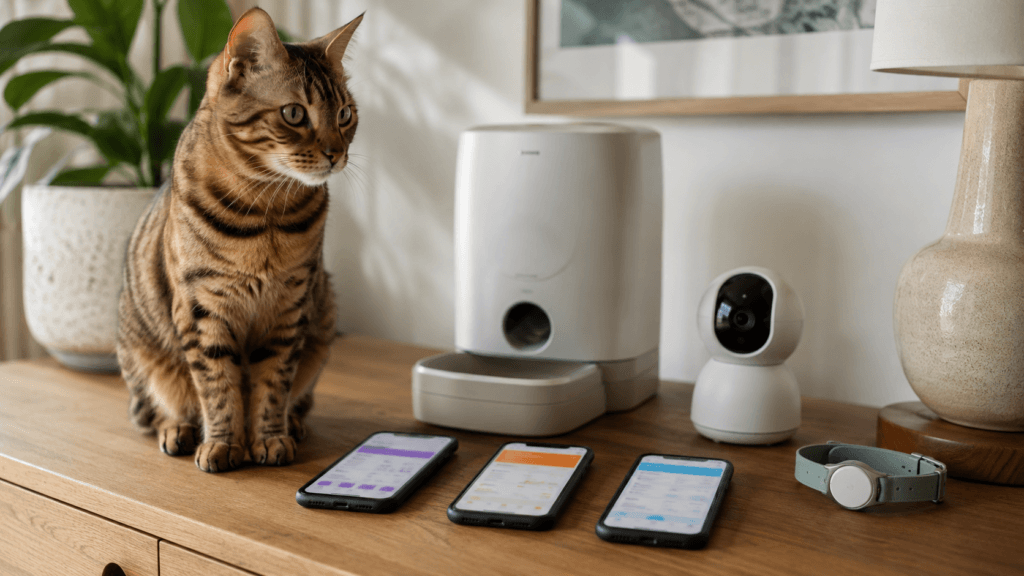
    Cat beside three smartphones, an automatic feeder, pet camera and wearable tracker
    Multiple apps can add useful specialist functions, but every extra ecosystem also brings another account, interface and compatibility decision. AI-generated editorial illustration.

    A unified app reduces friction.

    It also makes switching brands harder.

    The lock-in usually develops in three stages:

    1. one useful device;
    2. shared profiles and familiar controls;
    3. mild resentment at installing another app for a better competing product.

    Do not buy weaker hardware solely to preserve dashboard purity.

    Choose one ecosystem when several of its devices independently fit the household. Mix brands when a specialist product solves the problem better.

    One account is convenient.

    Owning the wrong feeder for six years because it matches the litter-box login is dedication to administrative tidiness, not pet care.

    Buyer-Regret Risk

    Pet-app regret usually comes from expecting software to create intelligence that the hardware never measured.

    Common failures include:

    • assuming every product from a brand supports the same app;
    • buying a non-Connect version by mistake;
    • overlooking subscription costs;
    • confusing a dispensing event with confirmed eating;
    • confusing a litter visit with a medical conclusion;
    • enabling so many alerts that all alerts become wallpaper;
    • collecting records without reviewing them;
    • expecting different brands to exchange data automatically.

    Before buying, define one app outcome:

    “I need to know whether Cat A ate.”

    “I need to control the door remotely.”

    “I need to find the cat outdoors.”

    “I need recorded video when nobody is home.”

    That is a purchase criterion.

    “I want a smart ecosystem” is how Emperor Maximilian acquires four incompatible accounts and a folder named Pet Apps.

    Final Verdict

    PETKIT is the best overall pet tech app for cats when you want litter, feeding and hydration devices inside one broad ecosystem.

    Whisker is the best litter-first app, with clear controls and useful routine data across Litter-Robot and Feeder-Robot.

    PETLIBRO is the best feeding-focused option, especially for wet food, RFID access and connected fountains—but compatibility must be checked model by model.

    Sure Petcare is the best access-control platform for multi-cat diets and connected doors.

    Tractive is the strongest outdoor-safety app, provided the subscription and collar requirements fit the cat.

    Petcube is best for recorded visual context, but much of its real value lives inside Petcube Care.

    Choose the app attached to the problem you need to solve.

    Do not choose the problem that best justifies downloading another app.

    Frequently Asked Questions

    Can pet tech apps diagnose illness?

    No. They can record changes in feeding, weight, activity or litter-box behavior. Those records may help a veterinarian understand a pattern, but they cannot identify the medical cause.

    Which app is best for several types of cat technology?

    PETKIT currently covers the broadest range of cat-focused product categories, including litter boxes, feeders and fountains.

    Which cat app works best without a subscription?

    Core PETKIT, Whisker and PETLIBRO controls generally depend on owning compatible hardware rather than maintaining a mandatory cellular plan. Advanced histories and services can still vary.

    Does Tractive work without a subscription?

    No. Its GPS tracker uses cellular connectivity, so an active plan is required.

    Can different pet tech apps share their data?

    Usually not in a meaningful, automatic way. Some may support voice assistants or limited external integrations, but owners should expect separate ecosystems rather than one universal cat-care dashboard.

    References

    • PETKIT — App Service and official app documentation
    • Whisker — Whisker App and Whisker+ documentation
    • PETLIBRO — Official app listings and compatibility documentation
    • Sure Petcare — Connect product and Hub documentation
    • Tractive — Cat tracker and subscription documentation
    • Petcube — Petcube App, Smart Alerts and Petcube Care documentation
    • Cornell Feline Health Center — Feline health and behavioral guidance

    Image Disclosure

    Official manufacturer images are used when available and authorized.

    AI-generated images may also be used as editorial illustrations. They should not be treated as exact representations of product dimensions, materials, controls or physical features. Always verify current official product information before purchasing.

    Editorial Disclosure

    PetTech AI may earn a commission from qualifying purchases. This does not influence our recommendations, comparisons or editorial judgments.

  • Best Smart Cat Health Monitors (2026): Track the Signal That Actually Matters

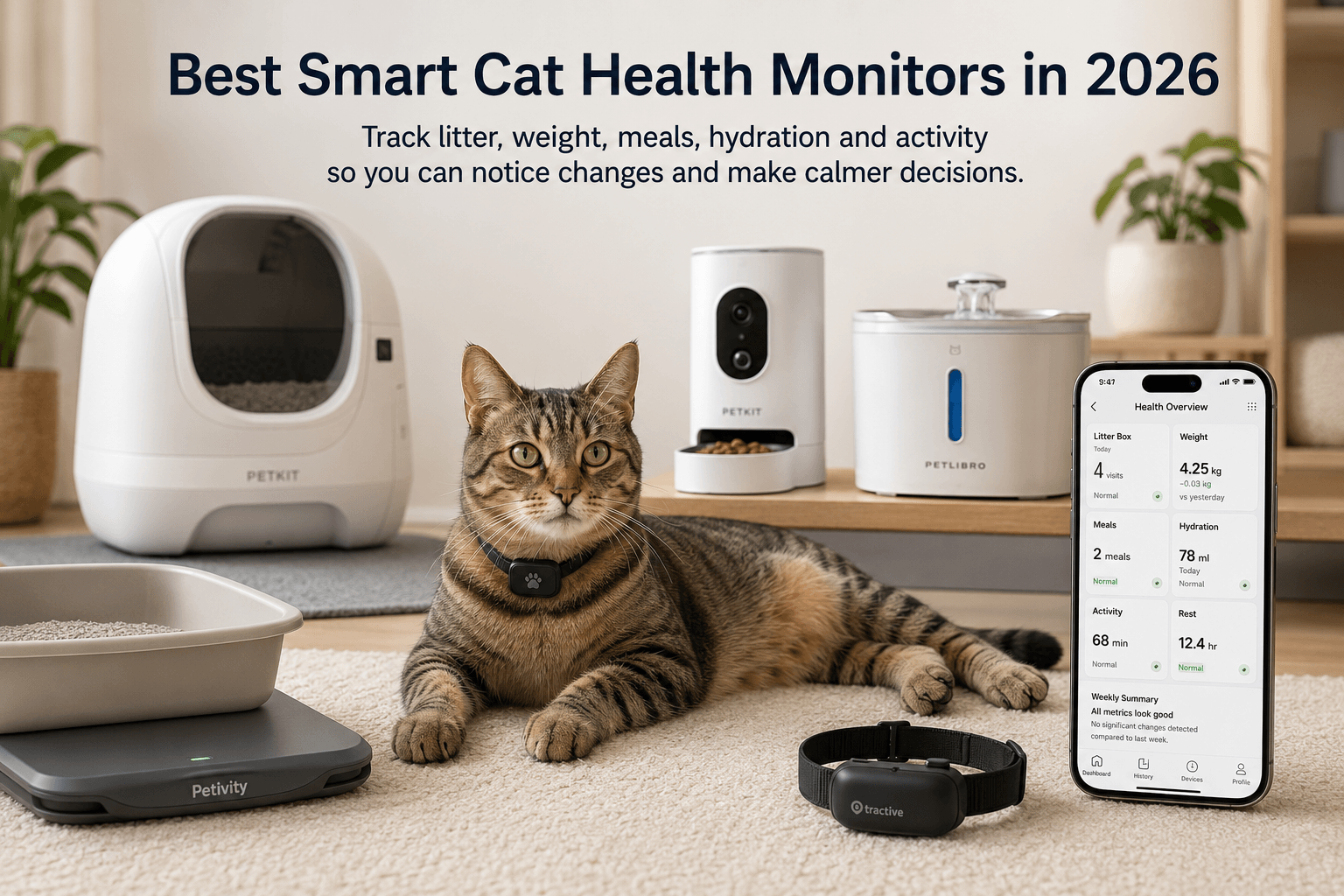
    Best Smart Cat Health Monitors (2026): Track the Signal That Actually Matters

    Your cat does not need a command center.

    He does not need five apps, three cameras, a hydration spreadsheet, and a weekly performance review.

    He may, however, benefit from one useful signal.

    A litter monitor can reveal a change in weight or bathroom routine. A camera feeder can show that breakfast was ignored. A GPS tracker can tell you that an outdoor cat has stopped visiting its usual territory. A smart fountain can show that drinking patterns changed.

    None of these devices diagnoses illness.

    They record what happened so you can notice when normal stops looking normal.

    This guide compares five different monitoring tools:

    • Petivity Smart Litter Box Monitor for an existing litter box;
    • PETKIT Purobot Max Pro 2 for premium camera-led litter monitoring;
    • Tractive CAT Mini for location, activity, and sleep context;
    • PETKIT YumShare Solo 2 for visual feeding records;
    • PETLIBRO Dockstream 2 for single-cat hydration tracking.

    The goal is not to monitor everything.

    It is to identify the uncertainty that matters in your home—and purchase one device capable of reducing it.

    Research note: This is a research-led guide based on official documentation, current product information, public ownership evidence, and PetTech AI’s product-level trust checks. PetTech AI has not conducted long-term hands-on testing of every device included.

    Quick Verdict

    What you need to understandBest fitRecommendation
    Weight and litter habits without replacing the boxPetivity Smart Litter Box MonitorEstablished recommendation
    Litter habits with camera context and automatic cleaningPETKIT Purobot Max Pro 2Strong premium recommendation
    Outdoor location, activity, and sleepTractive CAT MiniConditional recommendation
    Which cat approached a dry-food feederPETKIT YumShare Solo 2Promising newer product
    One cat’s drinking amount and frequencyPETLIBRO Dockstream 2Strong single-cat recommendation

    The short version

    Choose Petivity when the cat already likes the litter box and you would prefer not to replace it with a rotating plastic observatory.

    Choose Purobot Max Pro 2 when you want automatic cleaning, individual litter records, and camera context in one expensive machine.

    Choose Tractive CAT Mini when the missing information exists outside the home.

    Choose YumShare Solo 2 when mealtime visibility would change how you manage feeding.

    Choose Dockstream 2 when one cat’s hydration pattern matters. Do not buy it expecting multi-cat identification; the fountain is clever, but it has not learned to ask for identification before serving water.

    Affiliate disclosure: This page contains affiliate links. PetTech AI may earn a commission if you purchase through them, at no additional cost to you. As an Amazon Associate I earn from qualifying purchases.

    Compare the Recommended Monitors

    First Choose the Signal, Not the Gadget

    Every monitoring product watches one small part of the cat’s life.

    Litter and weight

    Useful when bathroom routine or gradual weight change is the main uncertainty.

    Camera-supported litter behavior

    Useful when you need more context than a visit count can provide.

    Location and movement

    Useful for outdoor cats, escape risks, territory changes, and activity patterns.

    Feeding behavior

    Useful when dispensing food is not enough and you need to see who appeared.

    Hydration

    Useful when changes in drinking would otherwise be difficult to notice.

    The wrong monitor can generate perfectly accurate information that has no practical value.

    A camera feeder showing the same cat eating normally every day is reassuring at first. By week six, it may simply be producing the world’s least eventful television series.

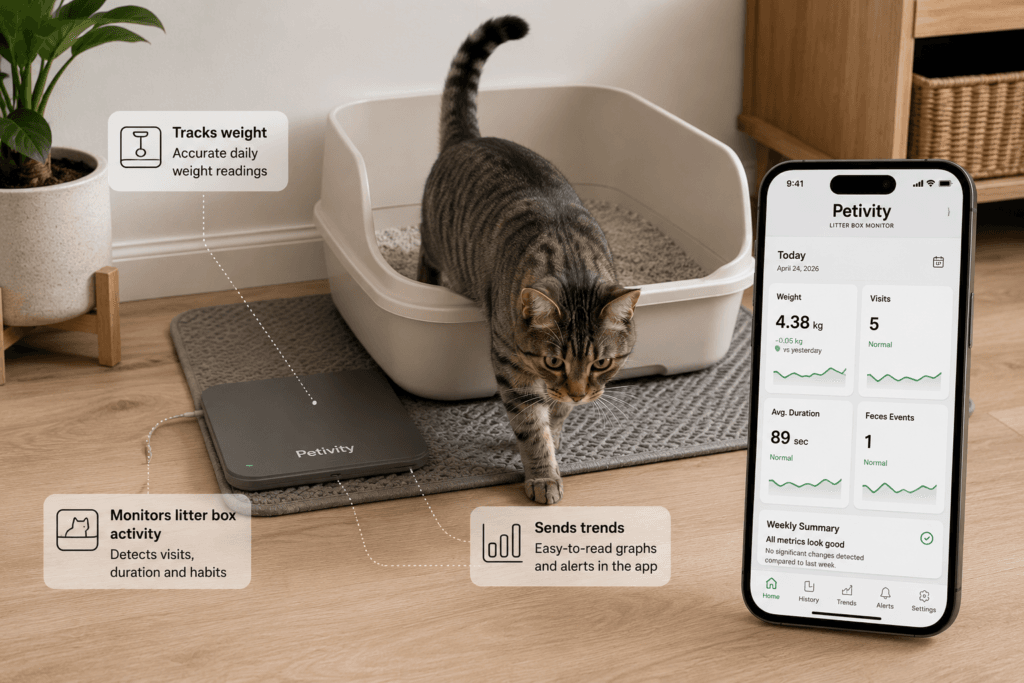
    Petivity: Best for Monitoring an Existing Litter Box

    A cat stepping near a regular litter box with a discreet smart monitoring pad underneath in a clean home setting
    Litter and weight data are useful because they turn repeated daily routines into clearer long-term patterns.

    Petivity sits underneath a conventional litter box and tracks weight, urination events, defecation events, visit patterns, and changes over time.

    Its greatest advantage is what it does not change.

    The cat keeps:

    • the familiar box;
    • the familiar entrance;
    • the familiar litter;
    • the familiar absence of mechanical rotation.

    That makes Petivity a sensible first monitor for cautious cats, older cats, and owners who want data without replacing a setup that already works.

    Buy it if

    • your cat reliably uses a standard litter box;
    • gradual weight trends would be useful;
    • litter-box activity is the main signal you want;
    • you do not need automatic scooping;
    • a lower-friction monitoring layer appeals to you.

    Skip it if

    • you want the machine to clean;
    • the box is frequently moved or sits unevenly;
    • you use several litter boxes but intend to monitor only one;
    • you want visual context;
    • the cats have very similar weights and individual identification is essential.

    Where it can disappoint

    Petivity depends on a stable physical setup.

    The platform needs to sit correctly, the litter box must fit, and multi-box homes require broader coverage if you want a complete picture. Monitoring one bathroom while the cat regularly uses another is a very sophisticated way to collect incomplete data.

    Multi-cat learning may also require time and clean baseline information.

    Verdict: The best starting point for litter and weight monitoring when the existing box already works and automation is not the goal.

    For setup, compatibility, and its real limitations, read our Petivity Smart Litter Box Monitor Review.

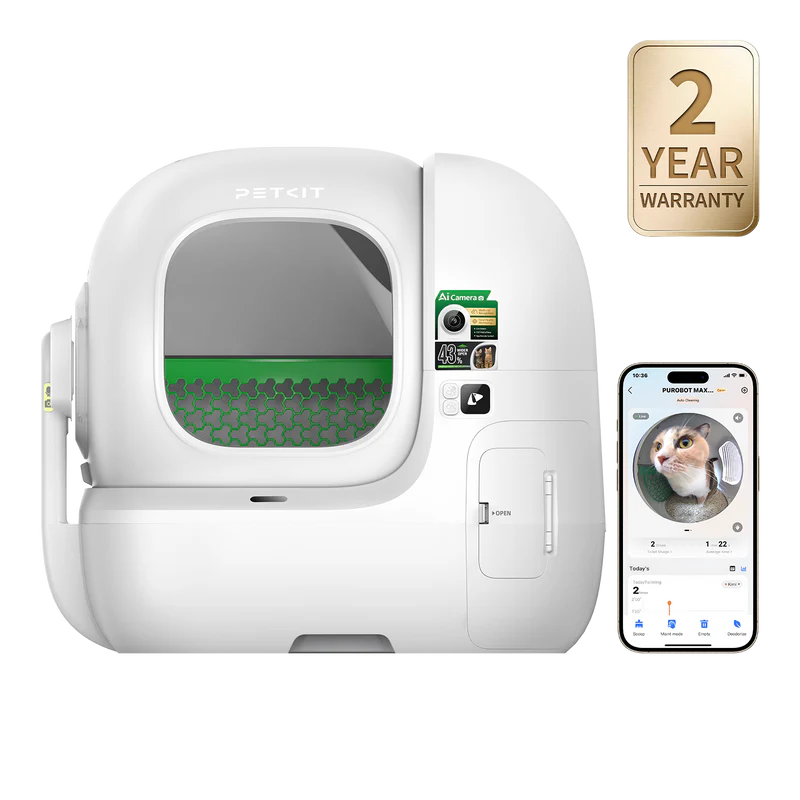
    PETKIT Purobot Max Pro 2: Best Premium Litter Monitor

    PETKIT Purobot Max Pro 2 automatic cat litter box with AI camera and app-based monitoring features
    PETKIT Purobot Max Pro 2 combines self-cleaning litter automation with camera-supported routine monitoring.

    Purobot Max Pro 2 combines:

    • automatic litter cleaning;
    • an AI camera inside the litter area;
    • weight sensing;
    • facial recognition;
    • individual cat profiles;
    • visit records;
    • stool and clump imagery;
    • app alerts;
    • a larger, lower entrance than the previous model.

    It is less a litter monitor than a small automated surveillance department assigned to cat waste.

    For the right multi-cat household, that is not entirely ridiculous.

    Weight-only systems can struggle when cats are similar in size. PETKIT combines facial recognition and weight data to keep individual records separate, while the camera adds context that a number alone cannot provide. PETKIT also markets yowling, stool, and urinary-pattern monitoring as awareness tools. Those records may be useful for observation or veterinary discussion; they remain consumer-device interpretations, not diagnoses.

    Buy it if

    • you want automatic cleaning and monitoring together;
    • multiple cats have similar weights;
    • visual litter-box context genuinely matters;
    • you are comfortable with a camera in the litter area;
    • you will review significant changes rather than every ordinary event;
    • the premium price fits the household.

    Skip it if

    • your cat dislikes enclosed or moving litter boxes;
    • a conventional box plus Petivity already solves the problem;
    • you do not want camera footage involving the litter box;
    • the app data will become an anxiety ritual;
    • you expect artificial intelligence to explain every suspicious clump.

    Where it can disappoint

    Purobot requires more ownership effort than the phrase “AI-powered health ecosystem” suggests.

    You still need to:

    • empty the waste drawer;
    • deep-clean the cylinder;
    • maintain the camera area;
    • manage litter levels;
    • inspect residue;
    • verify that the app interpreted events sensibly.

    Some cloud-video and extended playback functions within PETKIT’s camera ecosystem may also depend on optional paid services, so buyers should confirm which features are included before purchase.

    Verdict: The strongest premium option for owners who want automatic litter care and individual camera-supported records in the same device.

    For the cheaper automation-first alternative, read Purobot Max Pro 2 vs PuraMax 2.

    Tractive CAT Mini: Best for Location Context—with Conditions

    The Amazon product assessed here is the established Tractive CAT Mini bundle, not the newer CAT 6 Mini sold directly by Tractive.

    It provides:

    • live GPS tracking;
    • virtual fences;
    • location history;
    • territory maps;
    • activity tracking;
    • sleep data;
    • health-style routine alerts;
    • a six-month subscription in the evaluated Amazon bundle.

    The subscription is not an optional decorative extra.

    Tractive uses cellular networks to provide unlimited-range GPS, so an active plan is required after the included period ends. The CAT Mini generally offers up to about five days of battery life, depending on signal, Live Tracking use, and Power Saving Zones.

    Buy it if

    • your cat goes outdoors;
    • escape risk is real;
    • territory and location history matter;
    • changes in activity or sleep provide useful context;
    • regular charging and an ongoing plan are acceptable.

    Skip it if

    • your cat refuses collars;
    • you want a one-time purchase without subscription costs;
    • cellular or GPS coverage is poor where the cat roams;
    • the cat is too small for the tracker;
    • litter, food, or water data is the actual concern.

    Why the recommendation is conditional

    Tractive has a large ownership history, but the feedback is more mixed than for the strongest products in this guide.

    GPS performance depends on cellular coverage, satellite visibility, settings, and environment. Battery life also changes substantially when Live Tracking is used frequently or the tracker spends time outside Power Saving Zones.

    That does not make Tractive a poor product.

    It means the device is valuable when outdoor location is a real problem—not because every indoor cat secretly needs a cellular subscription.

    Verdict: A credible and established tracker for outdoor location and activity context, with meaningful subscription, charging, fit, and coverage caveats.

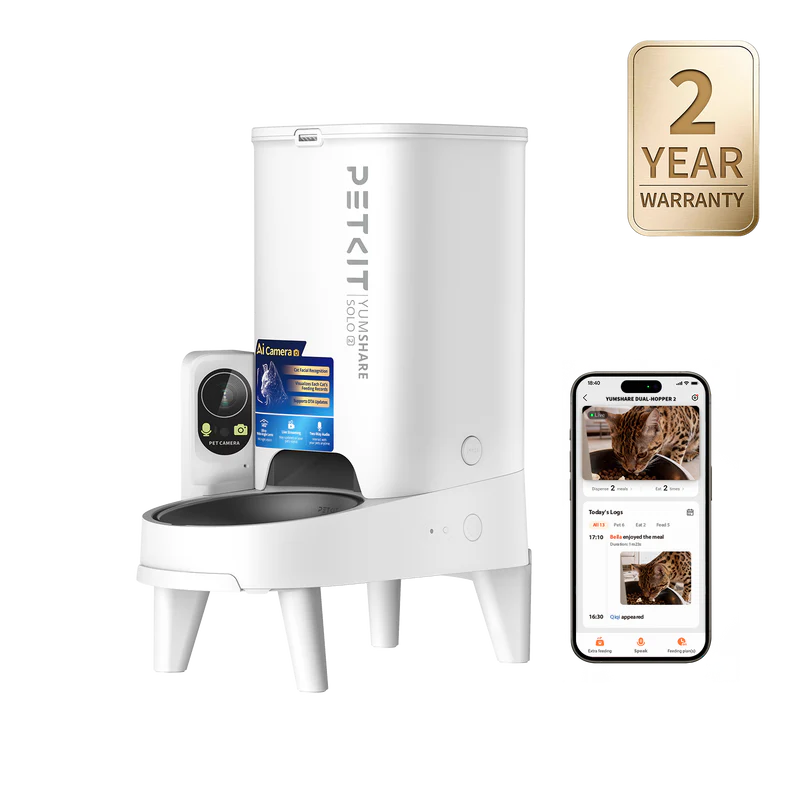
    PETKIT YumShare Solo 2: Best for Feeding Context

    PETKIT YumShare Solo 2 automatic cat feeder with built-in camera and app-based feeding records
    YumShare Solo 2 adds feeding context by connecting scheduled meals, live video and pet recognition.

    YumShare Solo 2 is a dry-food feeder with:

    • scheduled portions;
    • live video;
    • two-way audio;
    • individual-pet recognition;
    • feeding histories;
    • food-bowl monitoring;
    • app alerts.

    A normal feeder can confirm that food was dispensed.

    YumShare can help show what happened next.

    That matters in homes where:

    • one cat may skip meals;
    • several animals approach the same feeder;
    • the owner is away frequently;
    • appetite changes are worth documenting;
    • a camera would replace guesswork.

    Buy it if

    • your cats eat dry food;
    • visual mealtime context changes your decisions;
    • you already use PETKIT;
    • one main feeding station serves the home;
    • you understand that this is monitoring, not access control.

    Skip it if

    • you only need scheduled portions;
    • you feed mainly wet food;
    • one cat must be physically blocked from another’s food;
    • you will ignore the camera after the novelty fades;
    • you want a mature, long-established model.

    The main limitation

    YumShare Solo 2 remains new.

    Its early ownership signal is encouraging, but the public record is not yet deep enough to prove years of consistent recognition, app stability, notifications, and camera performance.

    It also cannot physically stop food theft.

    The camera may identify Napoleon approaching Jonathan’s meal.

    It cannot enforce international borders.

    Verdict: A promising newer feeder for owners who genuinely need visual meal context—not a full health monitor or food-security device.

    For camera feeders, wet food, RFID, and microchip access, read our Best Automatic Cat Feeders guide.

    PETLIBRO Dockstream 2: Best for Single-Cat Hydration Tracking

    Dockstream 2 is a 3 L smart fountain available in plug-in and cordless configurations.

    The cordless version associated with ASIN B0GYDY8YKY offers:

    • a rechargeable battery;
    • sensor-activated or continuous flow depending on power mode;
    • app-based hydration records;
    • drinking-session frequency;
    • average drinking duration;
    • daily intake totals;
    • water-level and maintenance alerts;
    • a stainless-steel drinking tray;
    • a pumpless, detachable tank design.

    Its current ownership signal is strong enough to support a clear recommendation.

    But the use case must be accurate:

    Dockstream 2 tracks one pet at a time.

    It does not use RFID and cannot distinguish Jonathan’s elegant hydration session from Napoleon drinking half the fountain after conducting military exercises. PETLIBRO directs multi-cat buyers who need individual identification toward its separate Dockstream RFID model.

    Buy it if

    • one cat uses the fountain;
    • individual hydration trends matter;
    • cordless placement is valuable;
    • you want a stainless-steel tray and removable tank;
    • app reminders would improve maintenance.

    Skip it if

    • several cats share the fountain and you need individual records;
    • you want implanted-microchip or RFID identification;
    • your cat already drinks reliably and tracking would change nothing;
    • you dislike charging or filter replacement;
    • a basic easy-to-clean fountain already solves the problem.

    Where it can disappoint

    Hydration tracking becomes less interpretable when several animals drink from the same source.

    The app can measure activity around the fountain.

    It cannot politely ask each cat to log in first.

    Battery life also depends on operating mode and household use. PETLIBRO’s “up to 30 days” claim applies under specific sensor-mode conditions, not continuous flow at maximum enthusiasm.

    Verdict: A strong smart fountain for single-cat hydration trends, flexible placement, and easier maintenance—not the correct choice for individual multi-cat tracking.

    For broader hydration options, read our Best Smart Cat Water Fountains guide.

    The Anxiety Dashboard Test

    Smart monitoring becomes useful when it leads to a sensible action.

    Useful

    “The litter monitor shows a repeated weight decline. I will verify it and discuss it with the vet.”

    Less useful

    “The cat used the litter box four minutes later than usual. Society may be collapsing.”

    Useful

    “The GPS tracker shows that the outdoor cat has stopped visiting its normal territory.”

    Less useful

    “The activity score is 3% lower today. I have cancelled all appointments.”

    Useful

    “The fountain shows a sustained reduction in drinking.”

    Less useful

    “The cat drank at 2:13 rather than 1:58. I have prepared a spreadsheet.”

    The correct monitor should reduce uncertainty.

    If it transforms ordinary variation into daily alarm, change the notifications—or stop monitoring that signal.

    Buyer Regret in One Table

    ProductMost likely regret
    PetivityMonitoring one box while the cat uses several
    Purobot Max Pro 2Paying for camera analytics that become anxiety or background noise
    Tractive CAT MiniUnderestimating subscription, charging, or coverage requirements
    YumShare Solo 2Paying for feeding footage you stop watching
    Dockstream 2Expecting individual multi-cat hydration records

    Privacy, Subscriptions, and Data Ownership

    These devices may collect:

    • video;
    • GPS location;
    • household routines;
    • feeding activity;
    • drinking patterns;
    • litter-box records;
    • pet profiles.

    Before buying, check:

    • which functions work without a plan;
    • how long video or history is retained;
    • whether data can be exported;
    • who can access the account;
    • whether cloud storage is optional;
    • whether the device remains useful if you stop paying.

    A product does not become medically valuable because the manufacturer found a recurring-revenue model.

    Final Verdict

    There is no universal best smart cat health monitor because each product watches a different routine.

    Petivity is the best low-friction starting point for litter and weight trends when the existing box already works.

    PETKIT Purobot Max Pro 2 is the strongest premium option for automatic cleaning, individual litter monitoring, and camera context.

    Tractive CAT Mini is useful when location, outdoor activity, and escape risk justify the subscription and charging requirements.

    YumShare Solo 2 is a promising feeding monitor for owners who will actually use video and meal histories.

    PETLIBRO Dockstream 2 is a strong single-cat hydration monitor, but it should not be confused with PETLIBRO’s RFID fountain for multi-cat identification.

    The right strategy is simple:

    1. identify the uncertainty;
    2. choose the device that measures it;
    3. decide in advance what change would make you act;
    4. ignore the rest of the dashboard.

    Your cat does not need more data.

    You need one piece of information capable of changing a decision.

    Frequently Asked Questions

    Which monitor should most cat owners start with?

    Litter and weight patterns are often the most repeatable home signals. Petivity is the lower-friction starting point; Purobot Max Pro 2 adds automatic cleaning and visual context at a much higher cost.

    Can these monitors diagnose health problems?

    No. They can identify changes and create useful records. The cause of a meaningful change requires direct observation and, when appropriate, veterinary assessment.

    Is Purobot Max Pro 2 better than Petivity?

    Only when automatic cleaning and camera context justify the extra cost and complexity. Petivity is better when the existing litter box already works.

    Does Tractive work without a subscription?

    No. Its GPS and connected monitoring functions require an active Tractive plan. The assessed Amazon bundle includes an initial subscription period.

    Can YumShare Solo 2 prevent food theft?

    No. It can show which pet approached the feeder, but it does not physically restrict access.

    Can Dockstream 2 identify multiple cats?

    No. Dockstream 2 tracks one pet at a time. PETLIBRO’s separate Dockstream RFID model is designed for individual multi-cat tracking through collar tags.

    References

    • Petivity Smart Litter Box Monitor official product and support documentation
    • PETKIT Purobot Max Pro 2 official product, app, and warranty documentation
    • Tractive CAT Mini official tracking, battery, and subscription documentation
    • PETKIT YumShare Solo 2 official product documentation
    • PETLIBRO Dockstream 2 official product and support documentation
    • PetTech AI product-level trust checks and public ownership evidence

    Image Disclosure

    Some images in this article may be AI-generated for illustrative purposes. They do not depict the exact products and should not be used to evaluate fit, dimensions, controls, or physical features.

    Disclosure

    PetTech AI may earn a commission when readers purchase through affiliate links. Monitoring products are recommended according to the useful signal they can provide—not according to how many health-related words appear on the box.

  • Best Smart Cat Cameras (2026): Watch the Room—or Catch the Kibble Thief?

    Best Smart Cat Cameras (2026): Watch the Room—or Catch the Kibble Thief?

    A cat camera can answer useful questions.

    Where does your cat sleep while you are away?

    Does anyone use the expensive climbing wall you installed?

    Did the feeder actually dispense breakfast?

    Which cat approached the bowl?

    It can also answer questions nobody needed to ask, such as:

    “At precisely what angle did Napoleon knock the plant from the shelf?”

    The best smart cat camera is not necessarily the one with the highest resolution or the longest list of AI detections.

    It is the one pointed at the problem you actually need to understand.

    This guide compares two standalone room cameras and two camera feeders:

    • eufy Indoor Cam E30 for flexible full-room coverage;
    • Ring Indoor Cam 2nd Gen for fixed monitoring in an existing Ring or Alexa home;
    • PETKIT YumShare Solo 2 for individual feeding context;
    • PETLIBRO Granary Camera Feeder for simpler remote mealtime check-ins.

    Research note: This is a research-led guide based on official documentation, current product information, public ownership evidence, and PetTech AI’s product-level trust checks. PetTech AI has not conducted long-term hands-on testing of every camera included.

    Quick Verdict

    What you need to seeBest fitRecommendation
    Activity across an entire roomeufy Indoor Cam E30Strong recommendation
    One fixed area inside a Ring or Alexa homeRing Indoor Cam 2nd GenStrong ecosystem-specific recommendation
    Which pet approached a scheduled mealPETKIT YumShare Solo 2Promising newer product
    Straightforward camera feeding with a mature ownership recordPETLIBRO Granary Camera FeederEstablished recommendation

    The short version

    Choose eufy E30 if the cat moves around a room and you want the camera to make a reasonable effort to keep up.

    Choose Ring Indoor Cam if you already live inside the Ring ecosystem and need one fixed view with a physical privacy cover.

    Choose YumShare Solo 2 if the important question is not “Where is the cat?” but “Which cat appeared for dinner?”

    Choose Granary if you want a simpler camera feeder and accept a more mixed reliability record.

    A camera can document the crime.

    It cannot prevent Napoleon from committing it again tomorrow.

    Affiliate disclosure: This page contains affiliate links. PetTech AI may earn a commission if you purchase through them, at no additional cost to you. As an Amazon Associate I earn from qualifying purchases.

    Compare the Recommended Cameras

    First Decide: The Room or the Bowl?

    Standalone cameras and camera feeders look similar on a product page because both show video inside an app.

    They solve different problems.

    A room camera answers:

    • Where does the cat spend time?
    • Does the cat use shelves, windows, or resting areas?
    • How do several cats interact in a shared space?
    • What happens near an entrance or hallway?
    • Is a new enrichment setup actually being used?

    A camera feeder answers:

    • Did food dispense?
    • Did a cat approach?
    • Which cat appeared, when recognition is supported?
    • Is food still sitting in the bowl?
    • Is another cat interfering with the feeding area?

    A camera feeder aimed at one bowl is terrible at monitoring the living room.

    A room camera can show the kitchen beautifully while providing no reliable record of whether a scheduled portion actually left the feeder.

    Choose the decision before choosing the lens.

    For a broader framework on when connected information adds value, read Smart Cat Monitoring vs Automation.

    eufy Indoor Cam E30: Best Full-Room Cat Camera

    A cat moving between a floor-level toy area and a tall cat tree while an indoor pan-and-tilt camera covers the room
    A standalone camera is most useful when you need to understand activity across a whole room—not only what happens at the food bowl.

    The eufy Indoor Cam E30 is the strongest general-purpose camera in this guide.

    It offers:

    • 4K video;
    • 360-degree pan-and-tilt coverage;
    • pet and human detection;
    • automatic subject tracking;
    • color night vision;
    • two-way audio;
    • privacy mode;
    • continuous or event recording;
    • local storage through a microSD card.

    The microSD card is sold separately, but local storage means the core recording function does not require a monthly subscription.

    Buy it if

    • your cat uses several parts of one room;
    • vertical spaces such as shelves and cat trees matter;
    • automatic tracking is more useful than one fixed angle;
    • local recording is important;
    • you want one camera to cover a larger indoor area;
    • you are willing to configure detection zones and notifications.

    Skip it if

    • feeding is the only routine you care about;
    • you want individual meal identification;
    • a fixed view is already enough;
    • you do not want an indoor security camera in a shared room;
    • configuring alerts sounds like unpaid employment.

    Where it can disappoint

    “360-degree coverage” does not mean the camera has achieved omniscience.

    A fast cat can leave the frame. Furniture can block the view. Tracking may follow the wrong animal in a multi-pet home. Too-sensitive notifications can make the app announce every tail movement as though the building has been breached.

    Placement matters more than 4K.

    A well-positioned 1080p camera aimed at the cat tree is more useful than a 4K camera enjoying an unobstructed view of the ceiling.

    Use activity zones, reduce unnecessary alerts, and test the night view before relying on it during travel.

    Verdict: The best standalone option for understanding activity across a room, particularly when cats move between floor level and elevated spaces.

    Ring Indoor Cam 2nd Gen: Best for Existing Ring Homes

    A discreet indoor camera facing a cat tree and resting area in a modern home, with cables safely hidden and a privacy shutter visible
    Good placement and privacy controls matter more than filling a home with constant alerts.

    Ring Indoor Cam is the simpler option.

    It provides:

    • 1080p video;
    • color night vision;
    • motion alerts;
    • two-way talk;
    • a fixed field of view;
    • Alexa and Ring integration;
    • a manual privacy cover.

    Closing the privacy cover disables the camera and microphone, which is more reassuring than a tiny software icon claiming that privacy mode is probably active.

    Buy it if

    • you already use Ring or Alexa;
    • you need one stable view;
    • a hallway, doorway, feeding corner, or office is the target;
    • physical privacy control matters;
    • managing another app would cause unnecessary irritation.

    Skip it if

    • one camera must cover a large room;
    • your cat constantly moves between several zones;
    • you want pan-and-tilt tracking;
    • you expect recorded history without considering a subscription;
    • you prefer local storage.

    The subscription question

    Without a compatible Ring subscription, you can use Live View and respond to real-time alerts.

    Reviewing recorded video requires a subscription. Depending on the plan and device, Ring also offers longer video history and advanced recognition features.

    This creates a simple decision:

    If you already pay for Ring, the Indoor Cam can be an inexpensive extension of the system.

    If this would be your only Ring device, the camera’s modest purchase price should be evaluated together with the ongoing plan.

    A cheap camera with a permanent subscription can eventually become an expensive method of watching your cat ignore the sofa you bought for him.

    Verdict: The best fixed camera for households already committed to Ring or Alexa—not the strongest independent choice for full-room cat tracking.

    PETKIT YumShare Solo 2: Best for Individual Meal Context

    PETKIT YumShare Solo 2 automatic cat feeder with built-in camera, app monitoring screen, and 2-year warranty badge
    PETKIT YumShare Solo 2 combines scheduled dry-food feeding with a built-in camera and app-based meal check-ins.

    YumShare Solo 2 is not a room camera with a food container attached.

    It is a scheduled dry-food feeder designed around visual mealtime context.

    PETKIT includes:

    • a 3 L hopper;
    • scheduled portions;
    • live video;
    • two-way audio;
    • night monitoring;
    • bowl and feeding records;
    • facial recognition designed for up to 15 animals;
    • individual eating histories;
    • offline feeding schedules and battery backup.

    PETKIT introduced Solo 2 in 2026, so it still lacks the deeper ownership history of eufy, Ring, or the older Granary feeder.

    Buy it if

    • your cats eat dry food;
    • you want video connected directly to scheduled meals;
    • knowing which animal approached would change your routine;
    • you spend substantial time away;
    • you already use PETKIT;
    • one feeding station serves the household.

    Skip it if

    • you need full-room coverage;
    • you feed mainly wet food;
    • one cat must be physically prevented from eating another cat’s meal;
    • you only need a basic timed feeder;
    • you will stop checking the camera after the opening weekend.

    Recognition is not access control

    Solo 2 can provide individual context.

    It cannot build a physical barrier around the bowl.

    If Jonathan’s meal dispenses and Napoleon arrives first, the camera may identify the occupying force with impressive accuracy.

    Jonathan remains hungry.

    For genuine food separation, compare RFID and microchip systems in our Best Automatic Cat Feeders guide.

    Where it can disappoint

    The main uncertainty is maturity.

    Its early market signal is encouraging, but app stability, recognition accuracy, alerts, camera performance, and dispensing consistency have not yet accumulated years of broad ownership evidence.

    Facial recognition may also become less reliable when:

    • cats look similar;
    • lighting changes;
    • several animals crowd the bowl;
    • faces are partially blocked;
    • the cat approaches at the exact angle least convenient for artificial intelligence.

    Verdict: A promising newer camera feeder for owners who will genuinely use individual mealtime context—not a proven default or a food-security system.

    PETLIBRO Granary Camera Feeder: Best Established Camera Feeder

    Granary has a more straightforward job:

    • store dry food;
    • dispense scheduled portions;
    • show the bowl;
    • send alerts;
    • let the owner check remotely.

    It offers:

    • a 5 L hopper;
    • 1080p video;
    • a 145-degree downward-facing view;
    • infrared night vision;
    • two-way audio;
    • motion and sound alerts;
    • low-food and jam notifications;
    • app scheduling;
    • local microSD recording;
    • optional cloud storage.

    PETLIBRO supports local event or continuous recording through a microSD card, while cloud history is sold separately.

    Buy it if

    • you want dry-food scheduling and a camera in one product;
    • a straightforward bowl view is enough;
    • individual recognition is unnecessary;
    • local recording appeals to you;
    • you prefer a larger hopper than YumShare Solo 2.

    Skip it if

    • you need to know which cat ate;
    • physical food separation matters;
    • room monitoring is the real goal;
    • you want the strongest reliability signal in this guide;
    • recurring app or dispensing friction would drive you insane.

    Where it can disappoint

    Granary has a long and broadly reassuring ownership record, but combining a feeder, camera, app, and Wi-Fi connection still creates more potential failure points than a basic scheduled dispenser.

    The recurring issues worth checking in recent feedback include:

    • temporary Wi-Fi or app disconnections;
    • camera or live-view interruptions;
    • food jams with incompatible kibble;
    • portion consistency;
    • notification reliability.

    These are legitimate ownership risks, but the overall evidence supports treating Granary as an established recommendation rather than a speculative or unusually risky purchase.

    Use compatible kibble, keep backup batteries installed, test several scheduled meals before relying on the feeder while away, and confirm that offline schedules continue working as expected.

    A camera failure temporarily leaves you with a feeder.

    A dispensing failure leaves you with beautifully recorded evidence that dinner never arrived.

    Verdict: The best established camera feeder for owners who want scheduled dry-food meals, remote bowl visibility, local recording, and a mature alternative to newer recognition-led products.

    The Napoleon Surveillance Test

    Suppose Napoleon has begun stealing Jonathan’s breakfast.

    eufy E30

    Tracks Napoleon crossing the kitchen, approaching the feeder, and leaving the scene.

    Excellent cinematography.

    Ring Indoor Cam

    Records the relevant corner, provided the crime occurs inside the fixed frame and you have recording history enabled.

    YumShare Solo 2

    Associates the approach with Napoleon and connects it directly to the meal record.

    Useful evidence.

    Granary

    Shows that a cat approached the bowl.

    Identity remains a matter for the investigating officer.

    An access-controlled feeder

    May actually prevent Napoleon from reaching Jonathan’s food.

    Less entertaining.

    More effective.

    Privacy Is Part of the Product

    Indoor cameras may capture:

    • family members;
    • conversations;
    • daily routines;
    • entrances and exits;
    • children;
    • sitters;
    • private living areas.

    Before installing one, decide:

    • who has account access;
    • whether recordings remain local or enter the cloud;
    • how long footage is retained;
    • whether alerts should be disabled while people are home;
    • where the camera should never point;
    • whether guests or sitters need to be informed.

    Use two-way audio sparingly.

    A familiar voice may help in some situations. Constantly speaking through a plastic device while physically absent can also confuse or stress the cat.

    The goal is useful context, not management-by-loudspeaker.

    Smart Camera Data Is Not Diagnosis

    A camera may reveal that a cat:

    • stopped approaching food;
    • sleeps in a different place;
    • moves less than usual;
    • hides more;
    • interacts differently with another cat.

    That information can be useful.

    The footage cannot determine the cause.

    Meaningful or persistent changes require direct observation and, when appropriate, professional veterinary or behavioral assessment.

    For litter, weight, feeding, hydration, activity, and location signals, read our Best Smart Cat Health Monitors guide.

    Buyer Regret in One Table

    ProductMost likely regret
    eufy E30Receiving too many alerts or expecting tracking to see through furniture
    Ring Indoor CamBuying one device and then resenting the subscription needed for recordings
    YumShare Solo 2Paying for recognition and meal footage you stop checking
    GranaryDiscovering that feeding and camera reliability create two separate failure points

    Final Verdict

    There is no universal best cat camera because watching a room and watching a meal are different jobs.

    eufy Indoor Cam E30 is the best overall standalone option. Its pan-and-tilt coverage, pet tracking, 4K video, and local recording make it the most flexible choice for understanding a larger indoor space.

    Ring Indoor Cam 2nd Gen is the better fit when the household already uses Ring or Alexa and needs a fixed view with clear physical privacy control.

    PETKIT YumShare Solo 2 is the strongest camera feeder when individual meal context is the reason to buy. It is promising, but still too new to treat as a fully mature default.

    PETLIBRO Granary Camera Feeder is the best established camera-feeder option. It lacks YumShare Solo 2’s individual facial recognition, but offers a much deeper ownership record, a larger hopper, local recording, and a straightforward view of the feeding station. It is the safer choice when maturity matters more than identity-led meal analytics.

    The right camera should answer one recurring question.

    It should not transform normal cat behavior into a 24-hour broadcast requiring executive review.

    Frequently Asked Questions

    What is the best standalone cat camera?

    eufy Indoor Cam E30 is the strongest option in this guide for full-room coverage, automatic tracking, and local recording.

    Is Ring Indoor Cam useful for cats?

    Yes, especially when the household already uses Ring or Alexa and needs a fixed view of one area. It is less flexible than a pan-and-tilt camera.

    Is a camera feeder better than a separate camera?

    Only when feeding is the main question. A feeder camera provides relevant bowl context but cannot replace full-room monitoring.

    Can YumShare Solo 2 stop another cat from stealing food?

    No. Recognition and video provide context; they do not physically restrict access.

    Does Granary require a cloud subscription?

    No. It supports local microSD recording. Optional cloud plans provide remote video history and additional storage features.

    Can a camera diagnose a health or behavioral problem?

    No. It can document a change, but it cannot establish its cause.

    References

    • eufy Indoor Cam E30 official product and storage documentation
    • Ring Indoor Cam 2nd Gen official product, privacy, and subscription documentation
    • PETKIT YumShare Solo 2 official product documentation
    • PETLIBRO Granary Camera Feeder official product, storage, and support documentation
    • PetTech AI product-level trust checks

    Image Disclosure

    Some images in this article may be AI-generated for illustrative purposes. They do not depict the exact products and should not be used to evaluate camera angle, controls, dimensions, or feeder fit.

    Disclosure

    PetTech AI may earn a commission when readers purchase through affiliate links. Cameras are recommended according to the question they can realistically answer—not according to how many notifications they can produce.